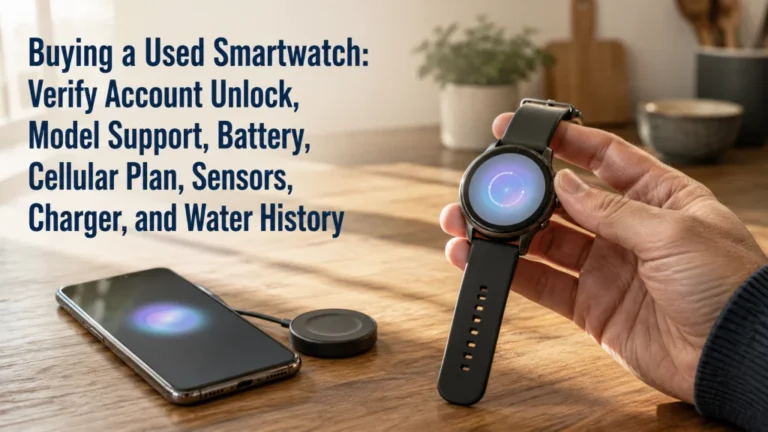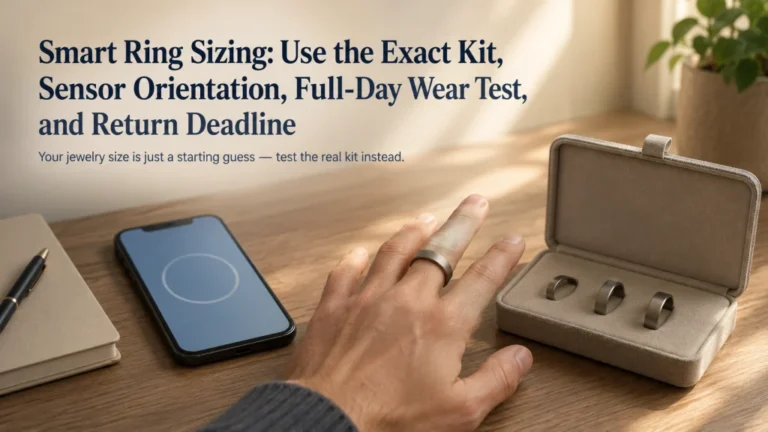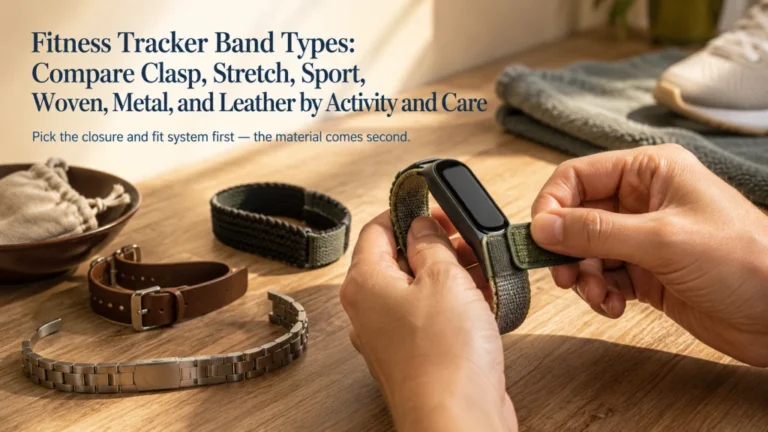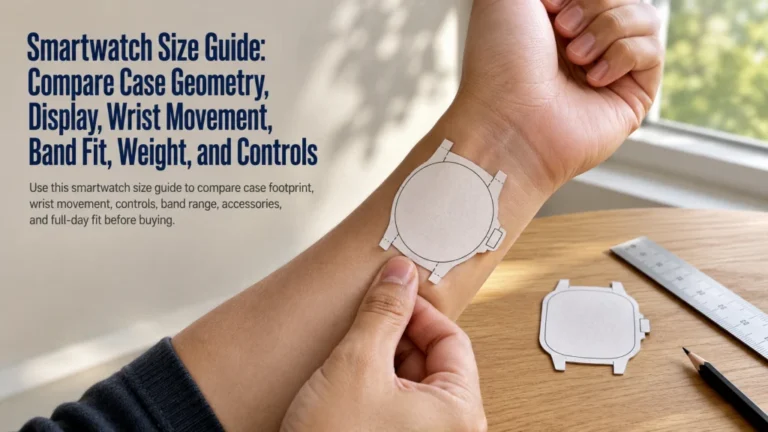
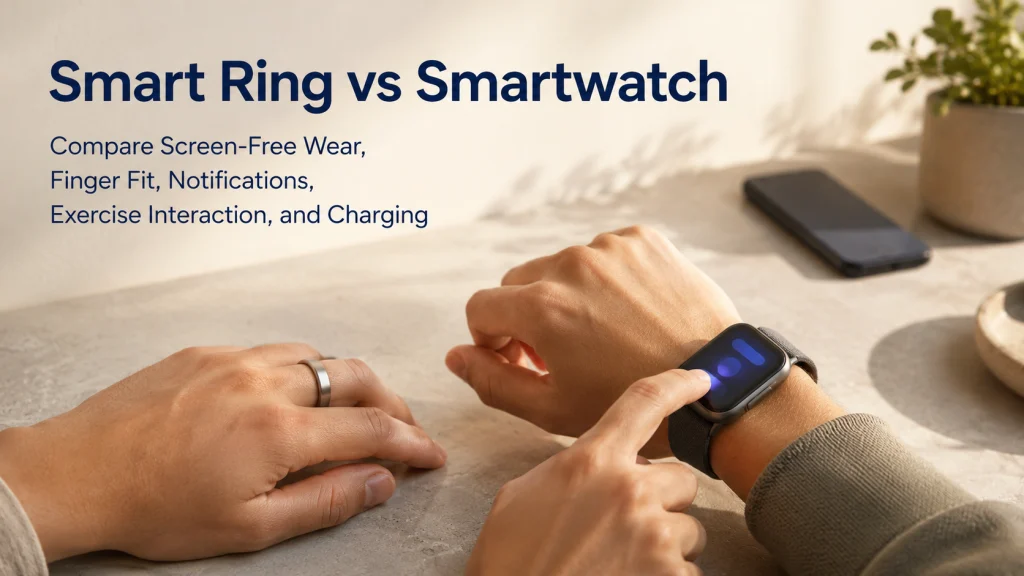
A smart ring can stay quiet on the finger while its meaning waits in the phone app. A smartwatch puts more of that interaction on the wrist, where messages, maps, timers, and workout controls may be available immediately. The better form depends on what your hands and wrists do all day, how often you need to act without the phone, and whether the charging and app routine still feels worthwhile after the first week. Test fit, workflow, and comfort before the return deadline rather than choosing from design or battery claims alone.
View the same trend and workout through two different systems
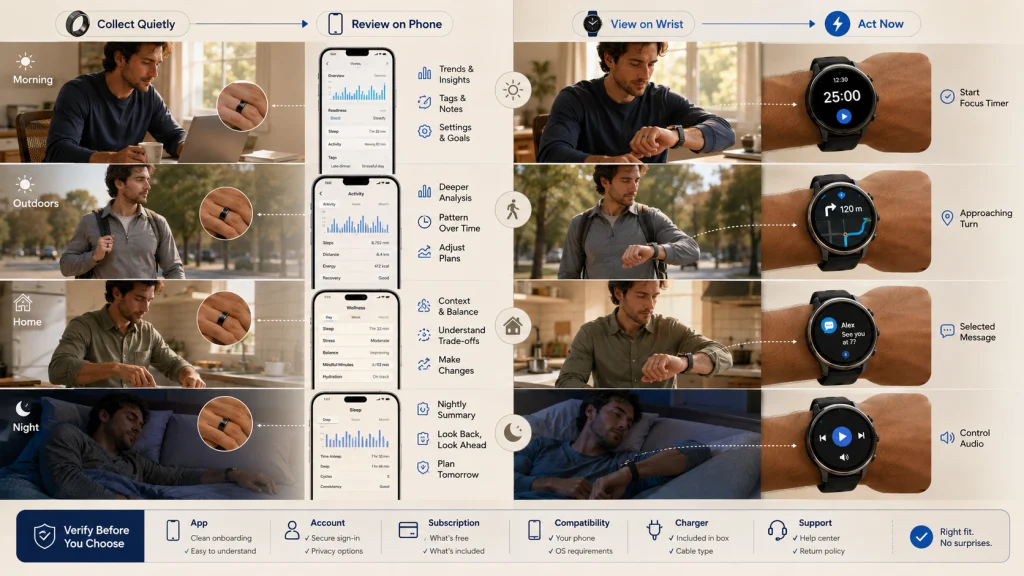
Imagine checking the same overnight trend before breakfast, then starting the same outdoor workout later that day. With a ring, the overnight result may remain invisible until the phone app is opened, and the workout may be labeled or reviewed there afterward. With a watch, the result can sit on the wrist beside a start button, a timer, or a live workout screen.
The difference becomes more noticeable when the phone is in a bag, the hands are full, or the user is trying not to invite another stream of alerts into the day.
Neither pattern is automatically better. A ring can feel less distracting while requiring more phone use to understand the same data. A watch can reduce phone handling during an activity while creating more settings, alerts, and moments when the screen asks for attention.
Define passive collection and active wrist interaction
Passive collection asks very little in the moment. The device stays in the background, and the wearer returns to the phone later for summaries, trends, tags, and settings. That can feel calm during the day, but it also means the phone app carries much of the value.
Active interaction turns the wearable into a small interface. Starting a workout, checking a map, managing a timer, reading an alert, controlling audio, or using an app can happen without first reaching for the phone when the exact watch supports it. That convenience is meaningful only when those actions occur often enough to justify the extra screen and interruption.
Do not compare the categories by marketing labels alone. Compare the exact current products by screen, controls, haptics, phone requirements, app, account, subscription, compatibility, charger, return policy, and support status.
Key decision: Decide whether you want information to stay mostly in the background or whether you need to act on it from the wearable.
List the decisions that must happen without opening the phone
A wearable earns its place when it changes a repeated action. Think through an ordinary day rather than a feature page. Would you actually start and pause workouts from the device? Do you need a timer while cooking, directions at an unfamiliar turn, or a message preview while carrying bags? Does an overnight trend need to appear immediately, or is it easier to understand later on the phone?
The phone may already be the better tool for maps, music, detailed trends, and infrequent alerts. On the other hand, reaching for it during a run, commute, meeting, or household task may be the exact friction the wearable is meant to remove.
Editorial observation: A feature used once a month should not outweigh a fit, charging, or notification problem that appears every day. Mark each desired action as daily, weekly, occasional, or unnecessary before comparing devices.
Compare screen, controls, haptics, notifications, calls, apps, and payments
A ring removes the visual interface from the body. There is no bright screen under a sleeve and usually less temptation to check the device itself, but settings and interpretation move back to the phone. Any taps, gestures, or haptic feedback must be verified for the exact product rather than assumed across the category.
A watch places a screen and controls on the wrist. That can be useful when a timer is running, a turn is approaching, or a selected message needs attention without stopping to find the phone. The same screen can also become a second inbox if notification filters are never set.
Calls, apps, payments, replies, and phone-free functions depend on the exact hardware, phone, region, account, and service. Do not let a product image stand in for that verification. Choose the interaction level first, then confirm whether the current device performs the few actions that matter.
Compare finger fit, wrist fit, swelling, dominant side, and activity interference
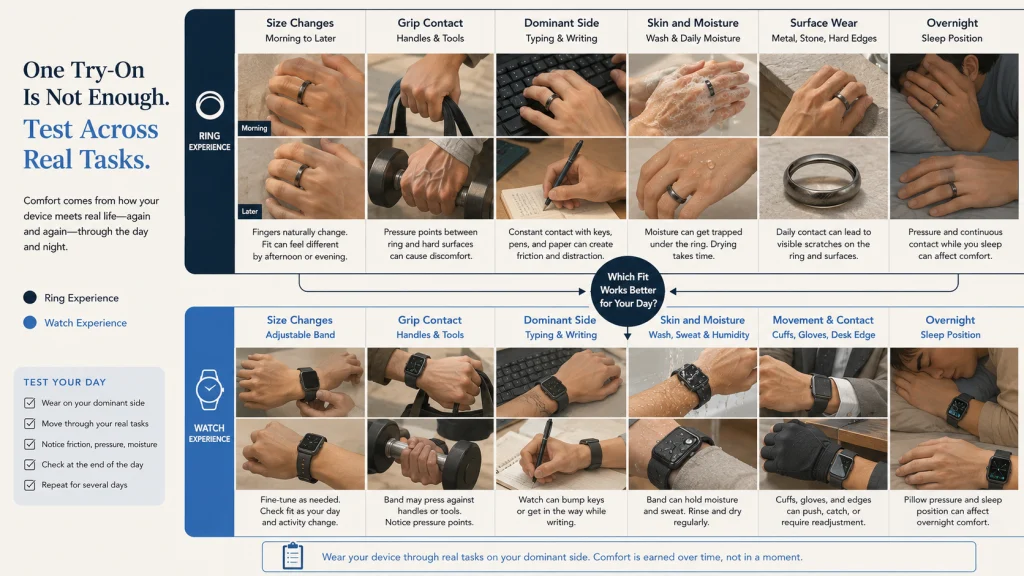
Body location changes the ownership experience before any app is opened. A ring meets grocery handles, dumbbells, door pulls, luggage, cookware, soap, and every firm handshake. A watch meets cuffs, desk edges, gloves, pillows, sweat, and repeated wrist movement.
| Fit question | Finger-worn device | Wrist-worn device |
|---|---|---|
| Size changes during the day | Finger swelling, temperature, travel, hydration, and activity can change tightness. | Band adjustment may allow more day-to-day variation. |
| Dominant-side use | Grip, writing, tools, lifting, and surface contact may make one hand less suitable. | Wrist preference may depend on dominant hand, controls, and watch placement. |
| Exercise interference | Bars, dumbbells, handles, and grip-intensive work can press the ring against the finger. | Wrist flexion, gloves, wraps, and equipment contact can affect the case or band. |
| Surface wear | Frequent contact with metal, stone, tools, and handles may increase visible scratching. | Desk edges, walls, equipment, and doorways may contact the case or display. |
| Skin contact | A continuous circular fit can trap moisture or feel tight if sizing changes. | Band material, fit, sweat, and cleaning affect comfort. |
| Overnight presence | May feel visually quiet but still noticeable between fingers or during swelling. | May feel larger but can offer adjustable band tension. |
Do not assume comfort from a brief try-on. Test ordinary hand and wrist tasks. Type, carry a bag, grip a handle, wash and dry the area, sleep in your usual position, and notice whether the device changes how you move.
Use the smart ring sizing guide for the ring purchasing fit process, or the smartwatch size guide when case and wrist geometry are the remaining questions.
Compare workout start, live display, route viewing, and phone dependence
The difference becomes clearest at the moment an activity begins. A ring may stay quiet while the phone handles setup and later review. A watch may let the wearer start, pause, glance, and adjust without breaking stride or reaching into a pocket.
| Workout action | Ring-centered workflow | Watch-centered workflow |
|---|---|---|
| Start the activity | May rely on automatic recognition, phone setup, or limited on-device control. | May offer a visible activity menu and direct start control. |
| View live information | Often requires the phone or waits until after the session. | May show live information on the wrist. |
| Record location | May depend on the phone or another supported setup. | May use built-in or phone-connected location capability. |
| View a route | The phone is usually the main visual interface. | A suitable display may show a map or directions when supported. |
| Review the result | The phone app is central to interpretation. | A wrist summary may be available, with deeper review on the phone. |
This comparison does not judge which category is more accurate. Sensors, algorithms, location behavior, exercise modes, and data screens vary by exact product and software. Use the activity tracking guide when the recording workflow needs closer review.
Compare overnight wear, charging windows, charger specificity, and travel
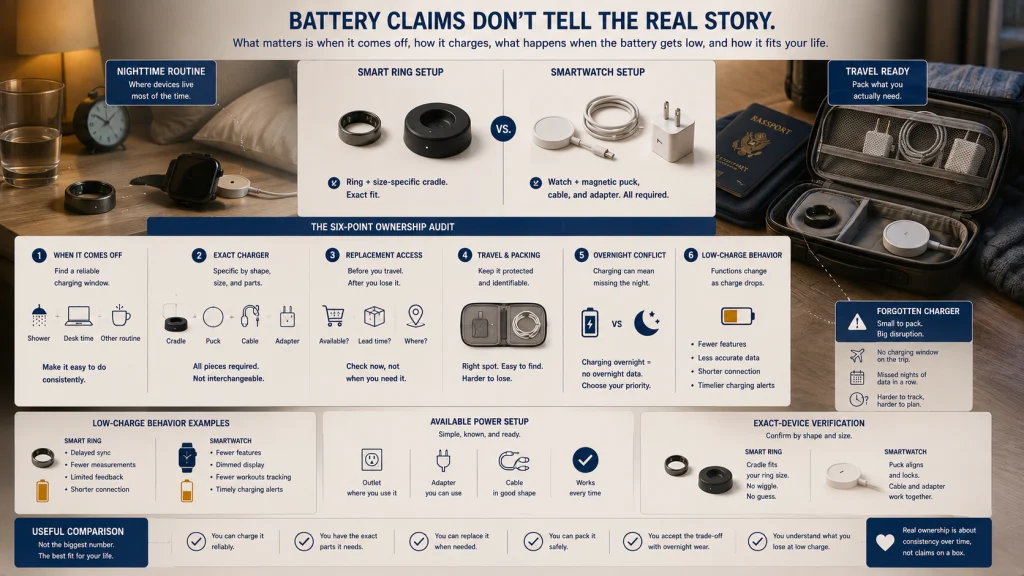
Battery claims do not explain the moment when the device must come off. Charging during a shower may be easy for one person and unreliable for another. A ring and a watch may need different cradles, pucks, cables, adapters, or travel storage, and the smallest charger is not automatically the easiest one to replace or remember.
| Audit item | Question to answer |
|---|---|
| Charging window | When can the device be removed without losing the period you care about? |
| Charger specificity | Does the charger depend on an exact size, shape, cradle, puck, cable, or adapter? |
| Replacement access | How easy is it to obtain a compatible replacement before a trip or after loss? |
| Travel packing | Will the charger remain protected, identifiable, and usable with the available power setup? |
| Overnight conflict | Does charging compete with overnight wear, or is another repeatable window available? |
| Low-charge behavior | Which desired functions stop or change as the device approaches low charge? |
Check the exact charger and current charging guidance before purchase. Do not generalize battery or travel convenience from the form factor alone.
Compare app, membership, account, compatibility, and data export
A screen-free device can disappear from attention until the phone app is opened, which makes that app central to the ownership experience. A watch may provide more immediate control, yet setup, detailed review, updates, and account management can still return the user to the phone.
- App: Is the interface clear enough that you will review it regularly?
- Membership: Which desired functions are included, optional, trial-based, paid, or unavailable?
- Account: What is required for setup, recovery, transfer, and resale?
- Compatibility: Does the exact device support your phone, operating system, region, and required services?
- Data export: Can you retrieve or move the information you care about?
- Support: Is the current device still receiving the software and security support you expect?
Use the broader wearable form comparison when a tracker remains part of the decision. Compare a smart ring with a fitness tracker when you want passive collection without choosing a full smartwatch.
Health boundary: A consumer wearable, sensor, app, score, alert, or estimate does not provide a diagnosis, medical clearance, or treatment plan. Concerning symptoms require appropriate medical attention regardless of the device reading.
Test ring sizing and watch case fit before the return deadline
Fit cannot be separated from the return plan. A ring that feels correct in the morning may feel tighter after heat, travel, or activity. A watch that seems comfortable during setup may become noticeable under a sleeve, against a pillow, or after moisture collects beneath the band.
| Return-window check | Complete before the deadline |
|---|---|
| Confirm the deadline | Record the final return date, condition requirements, packaging needs, and any fees. |
| Test ordinary wear | Wear the device through work, chores, hand washing, sleep, and a normal active period. |
| Test size variation | Check finger or wrist fit at different times of day and after ordinary activity. |
| Test interference | Grip handles, type, use tools, wear sleeves, and perform the activities that matter. |
| Test the phone workflow | Complete setup, syncing, review, notifications, and the desired workout process. |
| Test charging | Use the real charger in the place and time where charging will normally occur. |
| Review skin and comfort | Look for pressure, moisture, irritation, tightness, or repeated adjustment. |
| Make the decision early | Leave enough time to clean, reset, package, and return the device correctly. |
Current-policy warning: Return conditions, sizing processes, materials, water resistance, subscriptions, compatibility, and feature availability can change. Verify them for the exact device, seller, region, and purchase date.
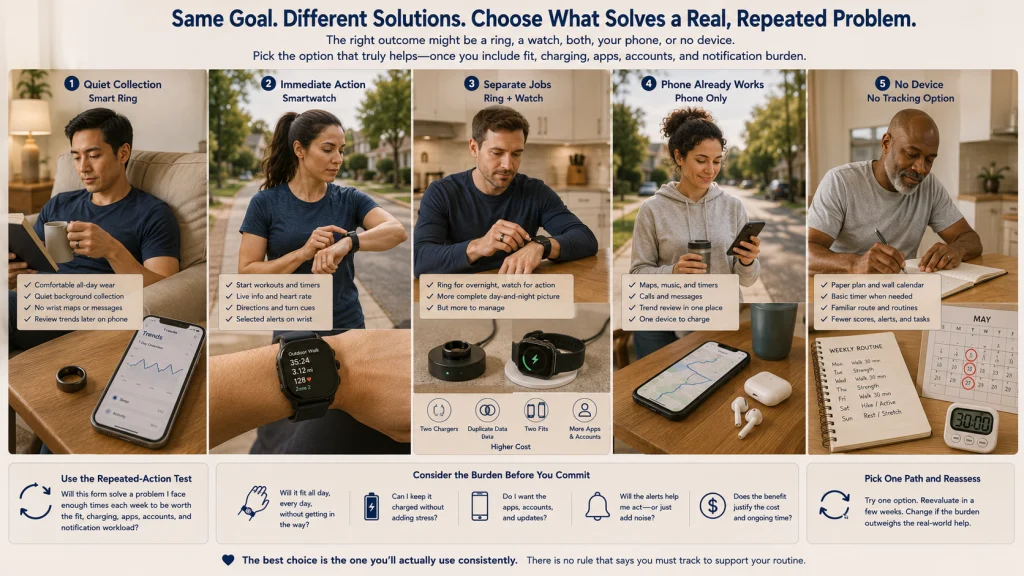
Compare ring, watch, both, phone-only, and no-device scenarios
Scenario 1: A ring fits quiet background collection
The reader wants minimal visible interruption, does not need maps or messages on the body, and prefers to review trends later on the phone. Finger fit remains comfortable through work, sleep, and ordinary hand use. A ring may fit this workflow if the current app, membership, charger, phone, and return conditions are acceptable.
Scenario 2: A watch supports immediate action
The reader regularly starts workouts, views live information, manages timers, checks directions, or handles selected alerts without opening the phone. Wrist fit and charging are manageable, and notification settings can be reduced to the few actions that matter. A watch may justify its larger interface when those interactions happen often.
Scenario 3: Both devices have separate jobs
The reader wants quiet overnight wear from one device and interactive exercise or communication tools from another. This setup adds two chargers, two fit decisions, possible duplicate data, more accounts, and greater cost. Both devices make sense only when each one solves a distinct repeated problem.
Scenario 4: The phone already completes the useful tasks
The reader carries a phone during activities, checks trends only at home, and does not need another screen or body-worn form. The phone already handles maps, timers, music, and records that matter. A phone-only setup avoids another charger, fit issue, and account.
Scenario 5: No device supports the goal better
The reader does not use wearable data to make a repeated decision and wants fewer notifications, scores, and charging tasks. A paper routine, wall calendar, basic timer, familiar route, or no tracking may support the intended behavior with less friction.
Use the smartwatch and fitness tracker comparison when the remaining question is whether a smaller wrist device would provide enough interaction without moving to the finger.
Choose interaction level, body location, compatibility, charging, and return plan
Write the final decision in five lines:
- Interaction level: State which actions must happen on the device and which can wait for the phone.
- Body location: Choose finger or wrist based on ordinary work, exercise, sleep, and comfort.
- Compatibility: Confirm the exact phone, operating system, region, app, account, and optional service requirements.
- Charging: Identify the charger, travel setup, and repeatable charging window.
- Return plan: Record the deadline and the fit, workflow, and comfort tests that must happen before it.
Use the broader wearable health technology guide when the real question is whether tracking belongs in the goal at all. Use the sleep and recovery tracking guide when you need to interpret what overnight wearable data can and cannot tell you.
A smart ring is not simply a smaller smartwatch, and a smartwatch is not simply a ring with a screen. Choose the system that still fits when the novelty fades and the device has to live through an ordinary week of work, sleep, exercise, charging, hand washing, and forgotten alerts.
FAQs
💍 Is a smart ring always less distracting than a smartwatch?
A screen-free form may reduce visible checking and wrist notifications, but the wearer may use the phone more often to review the same information. Distraction depends on the app, alert setup, review habits, and the exact product.
⌚ Is a smartwatch better for workouts?
A watch may provide more immediate controls and live display, but that does not make it universally better or more accurate. Choose by the actions required during the workout and verify the exact product’s activity, location, and phone behavior.
✋ How does finger swelling affect smart ring fit?
Finger size can change with time of day, temperature, travel, activity, and other ordinary conditions. Test the sizing process across real daily situations rather than relying on one brief fitting.
🏋️ Can I wear a smart ring while lifting?
Grip-intensive tasks can press a ring against the finger or hard equipment and may increase discomfort or surface wear. Follow the exact product’s current care and activity guidance and remove it when the task creates unsafe or uncomfortable contact.
📱 Can a smart ring work without frequent phone use?
The ring may collect information in the background, but detailed review, settings, tagging, updates, and account management may still rely on the phone. Confirm which actions can occur without the phone for the exact product.
🔌 Which form is easier to charge while traveling?
Neither category has a universal advantage. Compare charger specificity, replacement access, packing, power compatibility, charging windows, and whether charging conflicts with the period you want to wear the device.
📦 Why should I test fit before the return deadline?
Comfort can change after sleep, work, exercise, swelling, sweat, and ordinary surface contact. Testing early leaves time to review the app and charger, restore the device, and meet the seller’s return conditions.
🩺 Can either device diagnose a sleep or heart condition?
No consumer wearable, app, score, alert, or estimate provides a diagnosis, medical clearance, or treatment plan. Seek appropriate medical attention for concerning symptoms regardless of the device category or reading.