A smartwatch, fitness tracker, and smart ring can record some of the same kinds of information, but they do not create the same daily experience. The better choice depends on the job you want the device to perform, how much interaction you want on the device itself, how often you are willing to charge it, what phone and account it depends on, and whether the fit works during exercise, sleep, and ordinary life. Start with the action you want to take, then choose the form, configuration, compatibility, and ownership setup that supports it. A purchase is not necessary when your phone or current wearable already completes the task with acceptable friction.
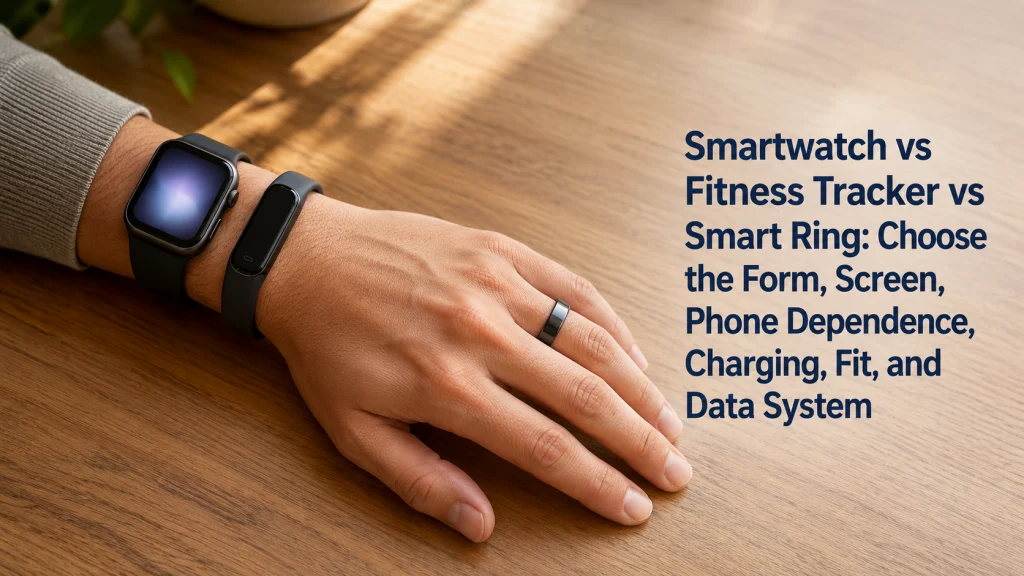
One simple task can lead to four different device choices
Imagine heading out for a run and wanting to leave the phone at home. A cellular-capable smartwatch may keep calls and messages within reach. A GPS-only watch may still record the route but leave communication behind. A slim tracker can feel quieter on the wrist, while a smart ring may almost disappear during the run until you open the phone later to review what happened. The same task feels different because each form shifts attention, control, and dependence to a different place.
| Device form | What changes during the same phone-free run |
|---|---|
| Cellular-capable smartwatch | May support more communication and app functions away from the phone, but adds carrier, plan, battery, and setup questions. |
| GPS-only smartwatch | May record location independently while still relying on the phone for calls, messages, syncing, or full app access. |
| Fitness tracker | May provide a lighter wrist experience with simpler controls and a greater need to review details on the phone. |
| Smart ring | May feel discreet and screen-free, while offering little or no on-device interaction during the activity. |
The categories are not a ladder from basic to advanced. Each changes where interaction happens, what stays connected, and how the device fits into daily life.
Define the device form before comparing features
Category labels are useful only when they are tied to the way the device is worn and used. A sensor list alone does not explain whether you can read information during a workout, respond to a message, sleep comfortably, replace the band, or use the device without carrying a phone.
- Smartwatch: a wrist-worn device built around a larger display, more direct interaction, notifications, apps, and broader phone integration.
- Fitness tracker: a smaller wrist-worn device that usually emphasizes tracking and basic feedback with less screen space and fewer on-device actions.
- Smart ring: a finger-worn device designed for low-profile passive wear, with most review and settings handled in a phone app.
- GPS-only smartwatch: a watch that may record location without the phone while still depending on the phone for communication, setup, syncing, or some app functions.
- Cellular-capable smartwatch: a watch that may connect to a supported mobile network when the correct model, carrier, plan, region, and account requirements are met.
- Companion-phone dependence: any setup, syncing, review, notification, communication, or account function that still requires a compatible phone.
These are category-level descriptions, not guarantees. Before buying, confirm the few requirements tied to the job you care about, especially phone support, regional availability, and any paid service the feature depends on.
Start with the action you want to take
Begin with a verb instead of a sensor. Write what you want to do in a real situation: glance at a pace while moving, receive urgent messages without holding a phone, track overnight patterns with less wrist bulk, record a route, reduce notifications, or review trends once a day.
Then decide whether the action must happen on the wearable, on the phone shortly afterward, or later inside an app.
A smaller device may feel easier to forget, but it can send you back to the phone more often. A larger screen may be easier to use in the moment, yet feel more noticeable under a sleeve, at a desk, or in bed. Choose the form that puts the action where you actually want it.
Key decision: Choose the action, location, and moment first. Compare sensors only after you know what must happen on the device and what can wait for the phone.
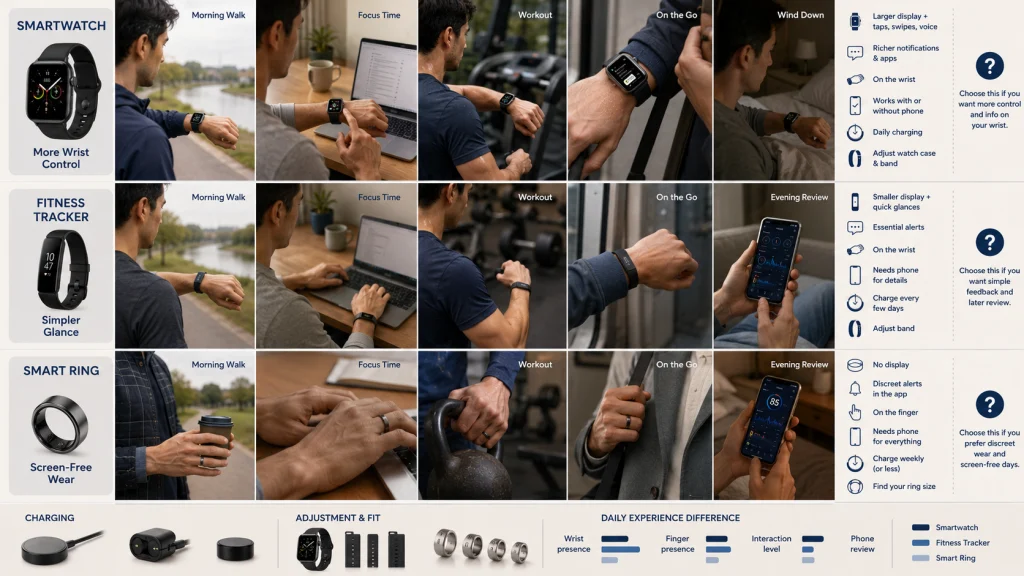
Compare category-level tradeoffs before choosing a route
The following table separates the daily experience from the marketing language. It does not rank categories or assume that every device includes the same features.
| Decision factor | Smartwatch | Fitness tracker | Smart ring |
|---|---|---|---|
| Display and interaction | Usually the most on-device information and control. | Usually simpler glances and fewer actions. | Usually screen-free, with review handled elsewhere. |
| Notifications and apps | Often the broadest support, subject to phone and platform limits. | Often selective or simplified. | Usually handled through the phone rather than the ring. |
| Wrist or finger presence | Larger wrist presence and more visible interaction. | Smaller wrist presence and lighter interface. | Finger fit matters throughout the day and night. |
| Phone dependence | Ranges from high dependence to limited phone independence in supported cellular setups. | Often depends on the phone for setup, syncing, maps, and detailed review. | Usually depends heavily on the phone app for review and settings. |
| Charging and hardware | May require more frequent attention because of the display, apps, and connectivity. | May reduce charging friction, depending on use and model. | Uses ring-specific sizing and charging hardware. |
| Fit adjustment | Case size and band can often be considered separately. | Band type, clasp, stretch, and replacement access matter. | Ring size, finger choice, swelling, and sizing method are central. |
| Best first question | What must I see or do on my wrist? | How much wrist interaction do I actually need? | Am I comfortable reviewing nearly everything on my phone? |
Eliminate categories that create the wrong interaction pattern. A screen-free form may frustrate someone who needs immediate wrist control, while a larger app-capable display may add unwanted interruption.
Choose between a smartwatch and fitness tracker by interaction level
This comparison is mainly about how much you want to see and do on the wrist. A smartwatch generally places more information, controls, notifications, and app functions on the device. A fitness tracker generally keeps the wrist experience narrower and moves more review to the phone.
A smartwatch suits the person who wants to glance, tap, reply, or adjust something in the moment. A tracker suits the person who would rather wear the device quietly and review the details later. The difference becomes obvious during ordinary moments such as checking a timer with wet hands, reading a message while walking, or deciding whether another wrist alert is helpful or irritating.
Use the smartwatch and fitness tracker comparison when display size, wrist interaction, notifications, and charging are the central tradeoffs.
Choose between a smart ring and smartwatch by visibility and control
A smart ring can reduce visible technology and avoid a screen on the wrist. A smartwatch can place information and actions directly in view. The choice depends on whether discreet passive wear is more valuable than immediate on-device control.
Overnight comfort can change the answer. A watch may press against the wrist when an arm is tucked under a pillow, while a ring may feel tight after a warm night or leave the finger more noticeable when making a fist. Neither experience is universal, which is why actual wear matters more than the category name.
Use the smart ring and smartwatch comparison when screen-free overnight wear and on-wrist interaction are pulling in opposite directions.
Choose between a smart ring and fitness tracker by wear location
This route compares two lower-interaction forms. The main difference is not simply wrist versus finger. It is how the fit behaves during sleep, typing, lifting, washing, gripping tools, wearing gloves, and moving through daily tasks.
A tracker offers quick wrist feedback without the larger presence of a smartwatch. A ring removes the screen entirely, which can feel calm during the day but less convenient when you want an immediate answer. Finger temperature, swelling, typing, and gripping can also change how natural the ring feels.
Use the smart ring and fitness tracker comparison when minimal wrist display and screen-free tracking are the main alternatives.
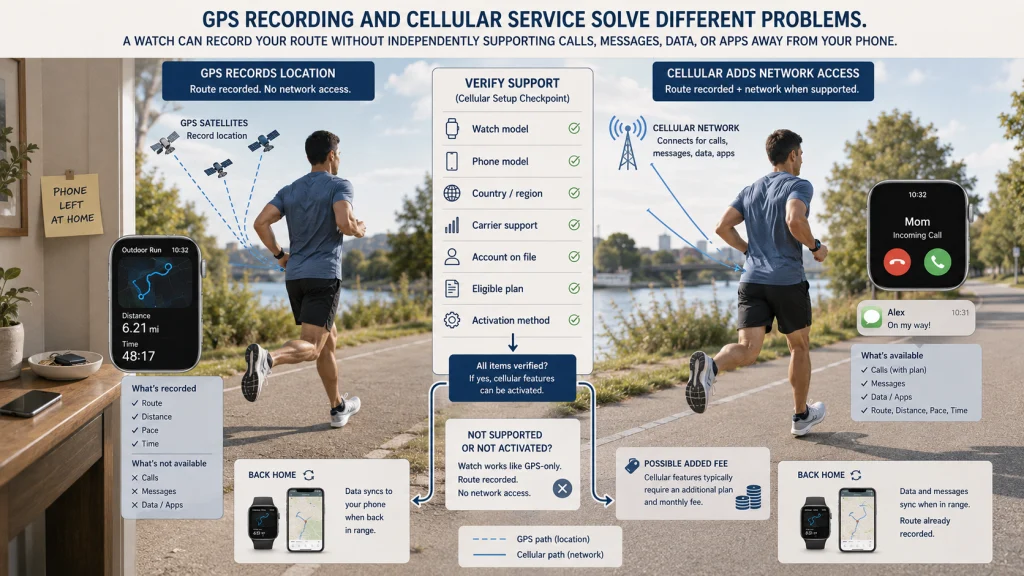
Separate cellular service from GPS recording
GPS and cellular service answer different questions. GPS concerns location recording and navigation functions. Cellular concerns network access for supported calls, messages, data, and apps when the phone is not nearby.
A watch can record a route without offering independent calls or messages. Cellular service adds a separate layer involving activation and network support, so the useful question is not whether the watch says LTE, but whether the exact away-from-phone action you need will work in your setup.
Use the cellular and GPS smartwatch comparison when phone-independent calls, messages, and data are part of the purchase decision.
Compatibility warning: Confirm the exact watch version and activation path for your phone, country, carrier, and plan before purchase. Do not assume that cellular support shown for another market or account will transfer to yours.
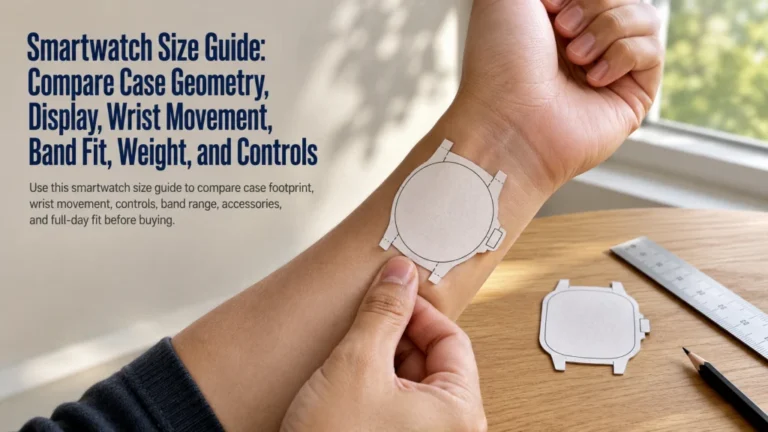
Treat smartwatch size as a case and display decision
Case size affects more than appearance. It changes how much room the watch occupies on the wrist, how the controls sit near the hand, how readable the display feels, and whether the device catches on sleeves, gloves, furniture, or exercise equipment.
Screen shape, bezel, button placement, thickness, and band attachment can make similarly sized watches feel different. A larger display may improve glanceability while adding bulk.
Use the smartwatch size guide when the category is already chosen and the remaining question is case, display, control, and wrist fit.
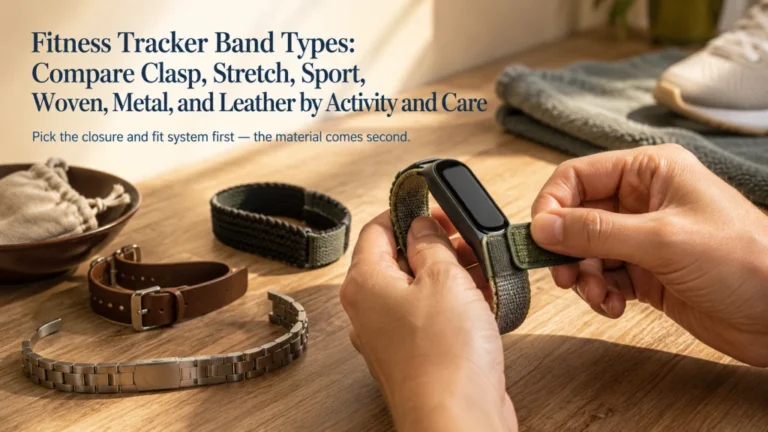
Choose a fitness tracker band by adjustment and replacement needs
A band can feel fine in a store and become annoying after a sweaty walk, a night of sleep, or a full day at a keyboard. Clasp style, stretch, ventilation, texture, moisture, and replacement access often matter more than appearance after the first week.
Some users need a secure sport closure. Others need quick adjustment, softer overnight contact, or easy replacement. Proprietary attachments can narrow future band choices.
Use the fitness tracker band guide when clasp, stretch, sport use, woven materials, skin contact, or replacement access is the main decision.
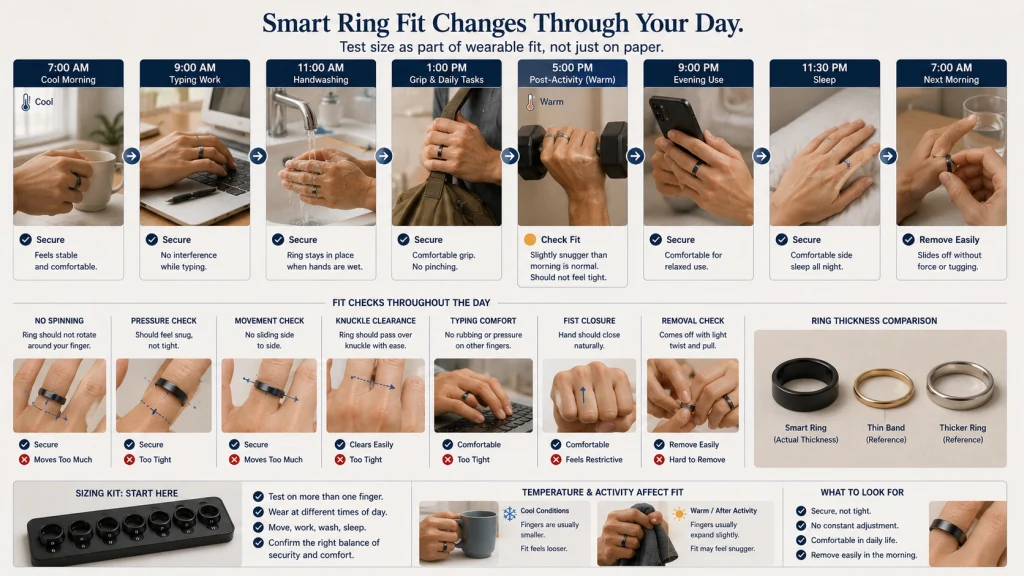
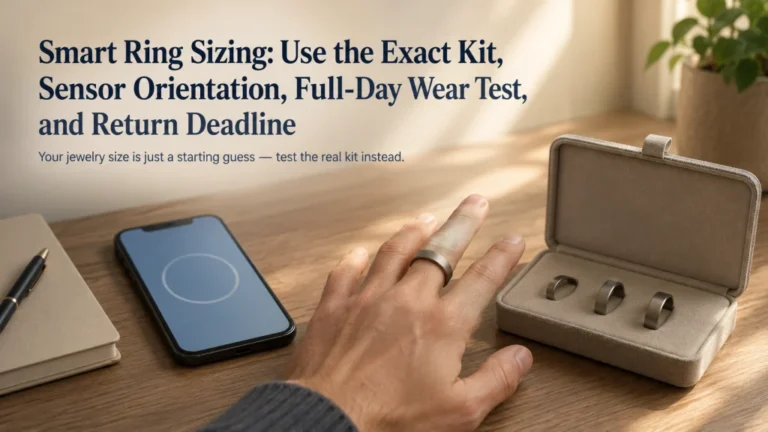
Treat smart ring sizing as part of sensor fit
A smart ring should stay in place without making the finger feel trapped. Fit can change from a cool morning to a warm evening, after exercise, or simply across a normal day. A familiar jewelry size may not predict how a thicker wearable shape will feel.
Use a sizing kit or equivalent process to test the actual form through a normal day and night. Check pressure, movement, typing, gripping, removal, work, and exercise.
Use the smart ring sizing guide before ordering a final size or assuming that an existing jewelry measurement is enough.
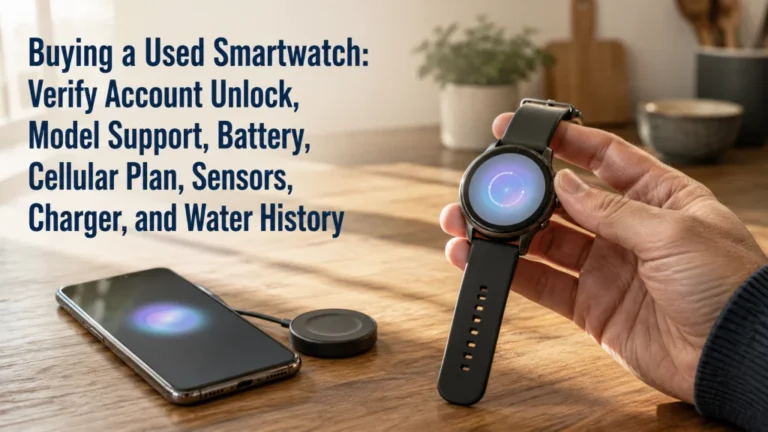
Check ownership status before buying a used smartwatch
A used smartwatch can look clean and still carry invisible ownership problems. The previous account may not be removed, cellular service may still be attached, or the battery may no longer support the way you plan to use it. Charger availability, physical wear, water exposure, and remaining software support also affect value.
A powered-on screen does not prove that the watch is ready for a new owner. Check account removal, pairing, carrier cleanup, charging, controls, condition, and phone compatibility.
Use the used smartwatch buying guide when ownership lock, battery condition, support, charger, and carrier cleanup are part of the decision.
Ownership warning: Do not complete the purchase when the seller cannot remove the device from the required account, demonstrate the reset process, or confirm that any linked cellular service has been cleared.
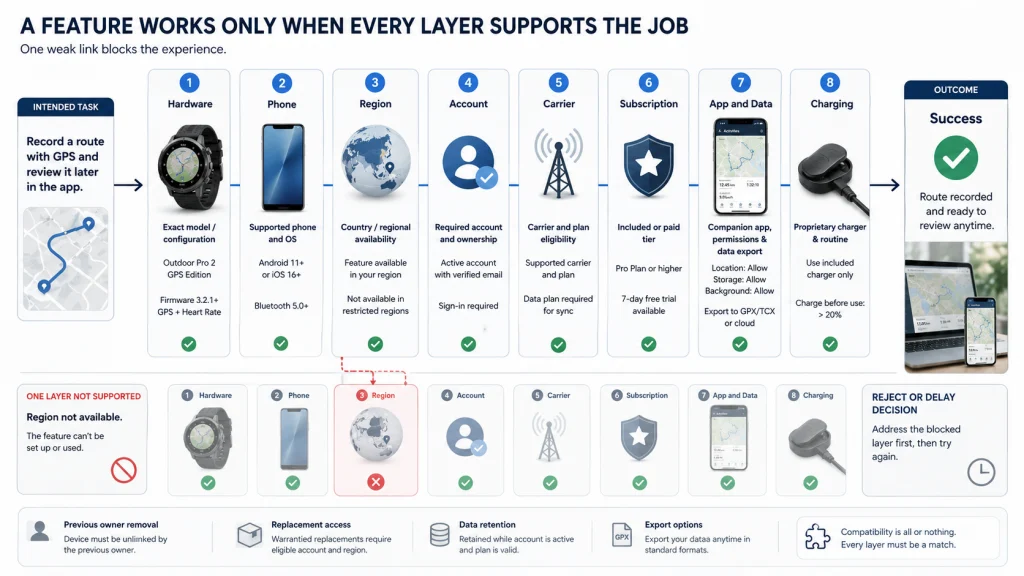
Verify the full hardware, phone, account, carrier, and subscription stack
A wearable is only one part of the system. The phone, app, account, charger, and sometimes a carrier or subscription determine whether the feature you bought it for is easy to use or unexpectedly blocked.
| Layer | What to verify | What can go wrong |
|---|---|---|
| Hardware | Exact model, size, sensors, controls, charger, materials, and condition. | A similar-looking version may lack the required configuration. |
| Phone | Supported phone family and required operating-system version. | The device may pair poorly, lose features, or fail setup. |
| Region | Country availability for the device, app, cellular service, and features. | A feature shown elsewhere may not be offered locally. |
| Account | Required platform account, age rules, family setup, and previous-owner removal. | Setup or transfer may stop at an account requirement. |
| Carrier | Supported carrier, plan eligibility, activation method, and added fees. | Cellular functions may not activate or may cost more than expected. |
| Subscription | Which features are included, optional, trial-based, or paid. | The desired review or service may sit behind an ongoing fee. |
| App and data | Required app, export options, account retention, and phone permissions. | Data may be difficult to review, move, or keep after switching devices. |
| Charging | Charger type, replacement access, travel needs, and expected routine. | A lost proprietary charger can interrupt use or add replacement friction. |
Retail displays make screens, sensors, battery claims, and style easy to compare, while the hidden dependencies appear later during setup. Write down only the layers connected to your intended job. Reject the device when one of those layers is unavailable, unclear, or costs more than the benefit is worth.
Keep tracking questions separate from form-factor questions
This decision comes before judging what the device records or how useful a score may be. First choose the physical form and ownership setup. If you already own a device and need help setting it up or using it consistently, start with the fitness tracker setup and use guide. Then evaluate the tracking domain that matters.
- Use the activity and GPS tracking guide for movement, workouts, routes, and exercise recording.
- Use the sleep and recovery tracking guide for overnight wear, sleep summaries, and recovery-oriented features.
- Use the everyday health metrics guide for consumer measurements, alerts, estimates, and their practical limits.
- Use the wearable data management guide for apps, syncing, subscriptions, privacy, exports, support, and long-term ownership.
- Use the wearable lifestyle-fit guide when work, hobbies, clothing, travel, accessibility, or household routines are the main constraints.
A comfortable device may still be a poor purchase if it depends on an incompatible phone, unwanted subscription, or interaction style you will avoid.
Health boundary: A consumer wearable, sensor, app, score, alert, or estimate is not a diagnosis, medical clearance, or treatment plan. Concerning symptoms require appropriate medical attention regardless of the device category or reading.
Use eight questions to choose the next comparison
Answer the question that is blocking the purchase now. Do not open every guide at once.
| Question | Best next guide |
|---|---|
| Do I need a larger interactive display or a simpler wrist tracker? | Compare smartwatch and fitness tracker |
| Do I prefer discreet overnight wear or direct wrist interaction? | Compare smart ring and smartwatch |
| Do I want a small wrist display or no wearable screen? | Compare smart ring and fitness tracker |
| Must calls, messages, or data work away from my phone? | Compare cellular and GPS watches |
| Which case and display geometry fits my wrist and use? | Choose smartwatch size |
| Which clasp, material, stretch, or replacement setup fits daily wear? | Choose a tracker band |
| How should I test ring fit before ordering? | Choose a smart ring size |
| Is a used watch transferable, supported, and worth the risk? | Evaluate a used smartwatch |
Once one route resolves the main uncertainty, check the remaining setup and ownership details that could still block that choice.
Run a return-risk checklist before the return window closes
Test the friction that becomes visible only after setup.
- Complete pairing, account setup, permissions, syncing, and any carrier activation you intend to use.
- Wear the device during a normal workday, exercise session, evening, and sleep period when relevant.
- Confirm that the screen, controls, notifications, and phone dependence match the original job.
- Check fit during heat, movement, typing, gripping, washing, clothing changes, and overnight wear.
- Use the charger in the place and routine where charging will actually happen.
- Review which app features are included and which require a trial, subscription, or separate service.
- Confirm that data can be viewed, exported, or retained in the way you expect.
- Check the seller’s return deadline, condition rules, packaging requirements, and restocking terms.
Practical tip: Put the return deadline on your calendar on the day the device arrives. Test the hardest requirement first, not the easiest feature to demonstrate.
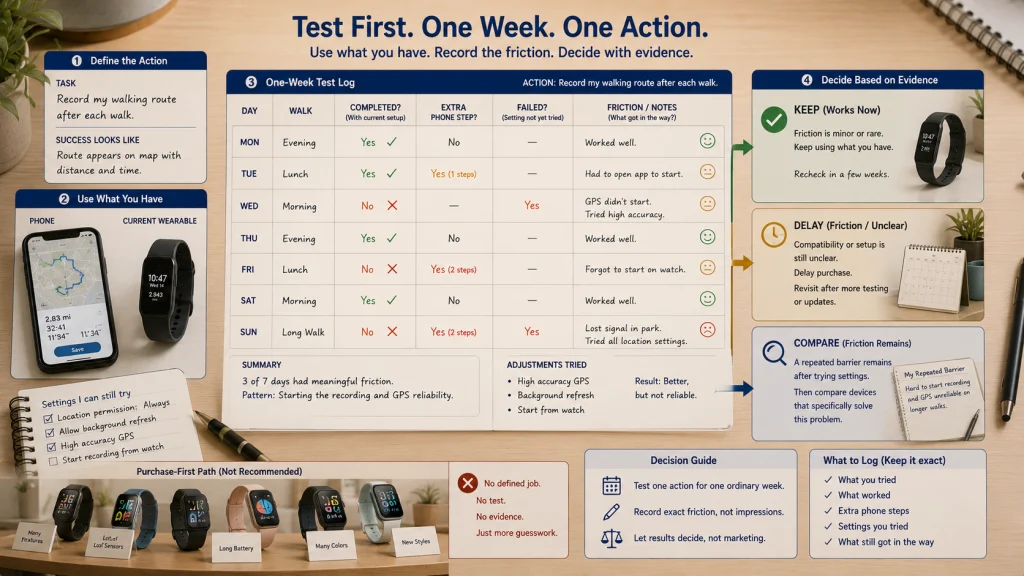
Use a no-purchase test before replacing what already works
Your phone, current wearable, or a simpler routine may already solve the task with acceptable effort.
Do not buy when the remaining friction is minor, rare, or caused by a setting you have not tried. Delay the purchase when a critical dependency is still unclear. Reject it when the new device merely repeats an existing function without making the task meaningfully easier, more consistent, or more accessible.
Choose the job, category, configuration, and exit condition
Write the decision in order: the job, the form, the physical fit, the setup it needs, the full cost, and the condition that would make you return it.
A complete decision might read: “I need route recording without carrying my phone, but I do not need calls or messages. I will compare GPS-capable wrist devices that fit under my work clothing, use charging hardware I can replace, and can be returned if overnight comfort or syncing fails.”
Use the broader wearable health technology guide when you need to step back and decide whether a wearable is the right tool at all. The right form is not the one with the longest feature list. It is the one you can wear, understand, charge, and live with after the novelty is gone.
Explore the next device comparison
| Guide | Use it when |
|---|---|
| Smartwatch vs fitness tracker | You are choosing between broader wrist interaction and a simpler tracking-focused form. |
| Smart ring vs smartwatch | You are choosing between discreet screen-free wear and direct on-wrist control. |
| Smart ring vs fitness tracker | You are comparing a finger-worn form with a smaller wrist-worn form. |
| LTE smartwatch vs GPS smartwatch | You need to separate location recording from cellular service away from the phone. |
| Smartwatch size guide | You have chosen a watch and need to evaluate case, display, controls, and wrist fit. |
| Fitness tracker band types | You need a better match for clasp, material, stretch, sport use, or replacement access. |
| Smart ring sizing | You need to test finger fit, comfort, movement, and sizing before ordering. |
| Buying a used smartwatch | You need to verify ownership transfer, account removal, battery condition, support, and carrier cleanup. |
FAQs
⌚ Is a smartwatch better than a fitness tracker?
Not for every job. A smartwatch usually offers more on-device interaction, while a fitness tracker often keeps the wrist experience simpler. Choose according to what must happen on the device rather than which category has the longer feature list.
💍 Is a smart ring better for sleep than a watch?
It may feel more comfortable for some people, while others notice finger pressure or changing fit overnight. Comfort, sizing, sleep position, work tasks, and phone dependence all affect the decision. The category alone does not guarantee a better overnight experience.
📱 Can I use a wearable without a phone?
Some functions may work without the phone nearby, but setup, syncing, detailed review, account access, notifications, and communication may still depend on a compatible phone. Verify each required action rather than assuming that one independent feature makes the whole device phone-free.
📡 Does GPS mean a smartwatch has cellular service?
No. GPS concerns location recording and navigation, while cellular service concerns network access for supported calls, messages, data, and apps. A GPS watch may still require the phone for communication.
🔋 Which wearable category needs the least charging?
Charging varies by exact device, settings, connectivity, display use, activity recording, and battery condition. Compare the real charging routine, charger type, and replacement access instead of relying on a category label or headline claim.
🖐️ Should I choose wrist or finger wear?
Choose based on what you do with your hands and wrists throughout the day. Typing, lifting, gloves, washing, gripping, sleeves, sleep position, swelling, and skin comfort can make either location a better fit.
💳 Do wearables require a subscription?
Some devices and services include the desired functions without an ongoing fee, while others place certain reviews or features behind a subscription or trial. Verify the exact account tier and total ownership cost before buying.
♻️ Is buying a used smartwatch a good idea?
It can reduce purchase cost, but only when account locks are removed, pairing is available, battery and hardware condition are acceptable, required charging hardware is included, and the device still works with your phone and services. Do not buy when ownership transfer or carrier cleanup is uncertain.
🩺 Can a wearable tell me whether I am healthy?
No consumer wearable category can determine overall health or replace professional evaluation. Scores, alerts, and estimates may provide information to review, but concerning symptoms require appropriate medical attention regardless of what the device shows.