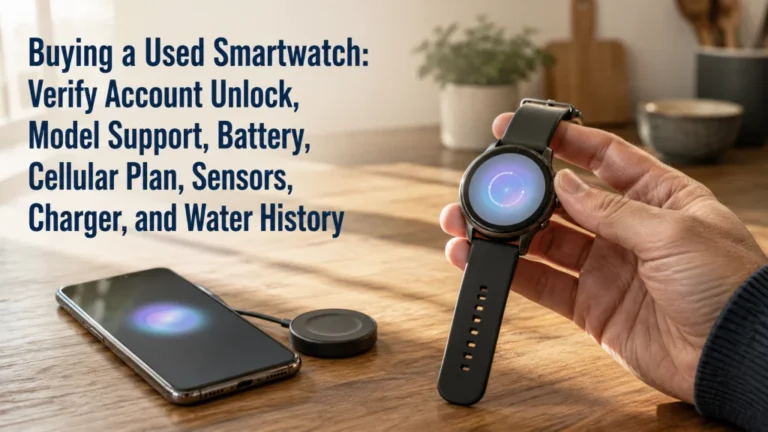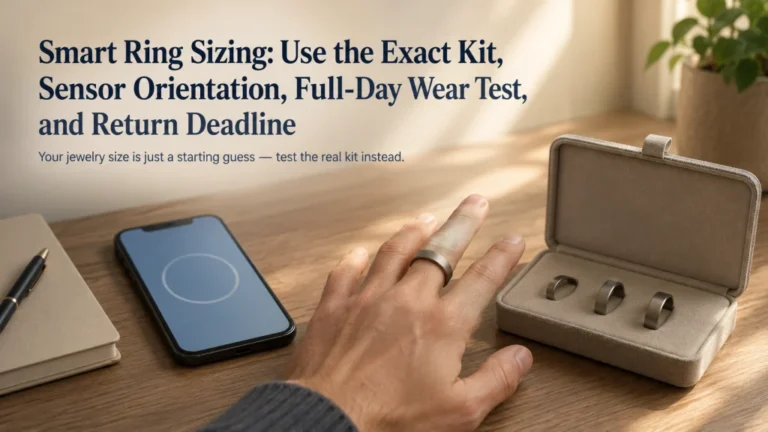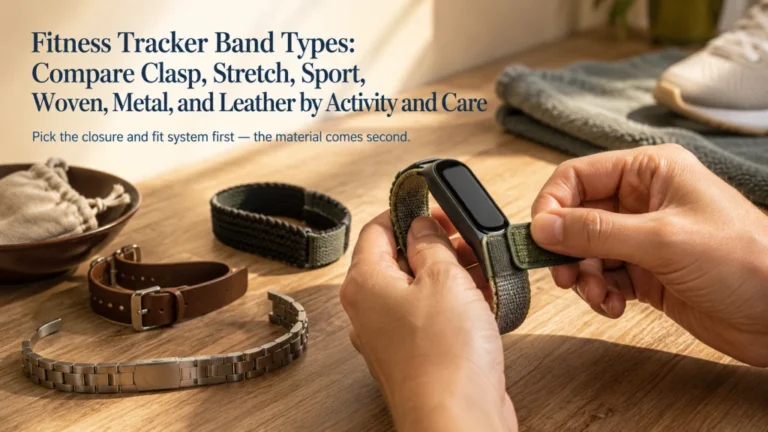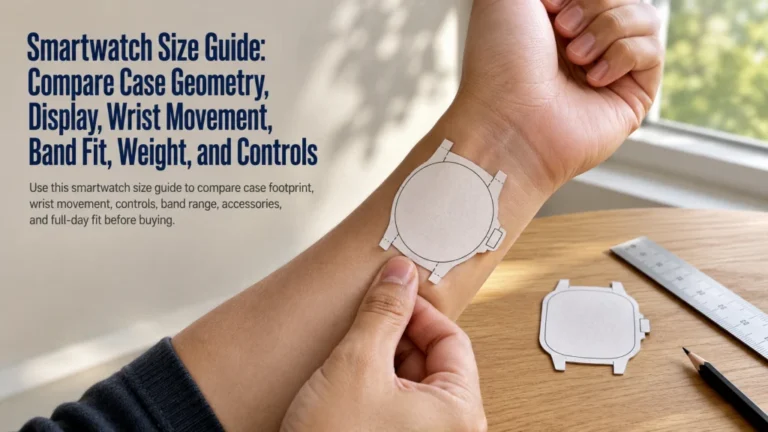
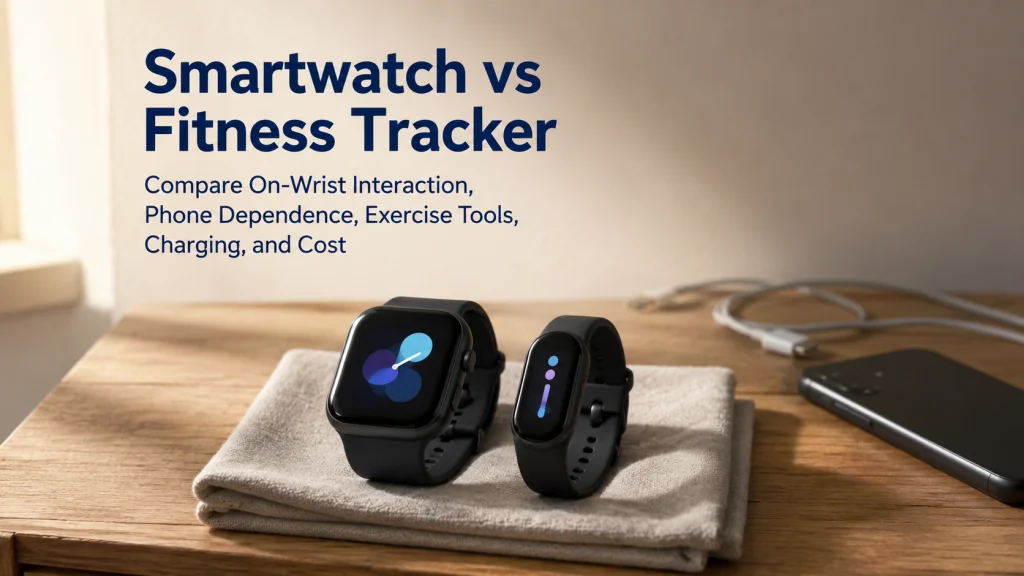
A smartwatch and a fitness tracker may overlap in activity recording, notifications, and phone syncing, but they create different levels of interaction and ownership burden. Choose by listing the actions that truly need to happen on your wrist, then check phone compatibility, display and controls, exercise tools, charging, fit, app requirements, and total cost. A smartwatch may justify its extra settings and interruptions when wrist-based actions are used often. A tracker, phone-only setup, or no device may be the better fit when recording matters more than constant interaction.
Start with five actions you may want on your wrist
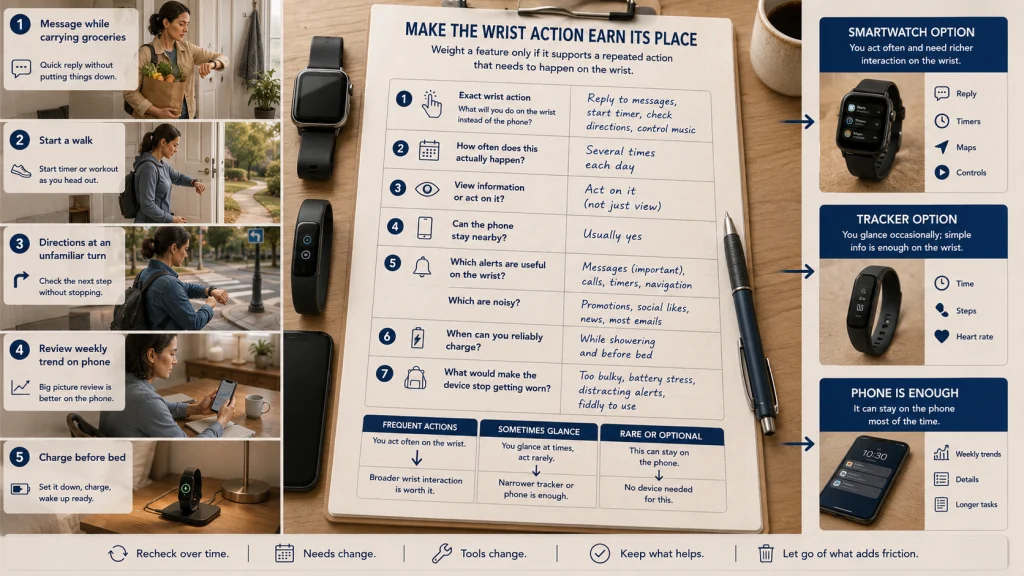
Picture five ordinary moments: reading a message while carrying groceries, starting a walk without opening the phone, viewing a map at an unfamiliar turn, checking a weekly trend, and finding time to charge the device before bed. Each moment asks a different question of the wearable.
| Wrist action | What the action may require | Where hidden friction appears |
|---|---|---|
| Read or act on a message | A readable display, suitable controls, phone connection, app support, or a separate network setup. | Small text, limited replies, notification overload, or dependence on the nearby phone. |
| Start and manage an activity | Simple controls, a visible activity screen, and the exercise modes you actually use. | Too many menus, accidental touches, or controls that are awkward while moving. |
| View a map or route | A suitable screen, location capability, map support, and enough interaction for the route. | A device may record location without presenting useful directions on the wrist. |
| Check a trend | An app, account, syncing, and a review screen large enough to make the information usable. | The wrist may show only a summary, sending detailed review back to the phone. |
| Charge the device | A repeatable charging window, compatible hardware, and replacement access. | A useful feature loses value when the charging routine repeatedly interrupts wear. |
More functions can create more settings, alerts, permissions, and decisions. The better category is not the one that can technically do the most. It is the one that handles your repeated wrist actions without adding more friction than those actions are worth.
Define each category by current product behavior, not the label
A smartwatch is generally designed around a larger screen, broader on-device interaction, notifications, apps, and deeper phone integration. A fitness tracker is generally designed around a narrower set of tracking and feedback functions in a smaller wrist-worn form.
Those descriptions are starting points, not fixed rules. Some trackers have color screens, notifications, location features, payments, or detailed activity controls. Some smartwatches depend heavily on the phone and may not include independent network service. Product names can also blur category boundaries.
Compare the exact products available to you at the time of purchase. Check the supported phone, operating system, region, required account, charging hardware, app, subscription, band system, and support status. Do not assume that a feature listed for one model or market exists across the category.
Key decision: Use the category label to narrow the search, then use current product documentation to confirm the exact behavior you need.
List the actions that truly need to happen on the wrist
A feature deserves weight only when it changes a repeated decision. A person who checks one message each week may not benefit from the same wrist interaction as someone who regularly handles timers, directions, calls, or activity controls without reaching for a phone.
Complete the worksheet before comparing devices:
| Question | Your answer |
|---|---|
| Which action must happen without opening the phone? | Write the exact action, such as reading a message, starting an activity, or checking directions. |
| How often does that action happen? | Several times a day, a few times a week, rarely, or only during travel or exercise. |
| Do you need to view information or act on it? | A glance may need less screen and control than a reply, payment, map, or app action. |
| Can the phone remain nearby? | Yes, no, or only during certain activities. |
| Which alerts are worth feeling on the wrist? | Name the few alerts that help and the ones that would become noise. |
| When can the device be charged? | During a shower, at a desk, before bed, overnight, or another reliable window. |
| What would make you stop wearing it? | Bulk, skin irritation, distraction, charging, app complexity, cost, or another form of friction. |
A technically available smartwatch feature may never be used often enough to justify extra charging and alerts. If the worksheet contains only one or two simple glances, a narrower tracker or the existing phone may already be enough.
Compare display, controls, notifications, calls, apps, payments, and music
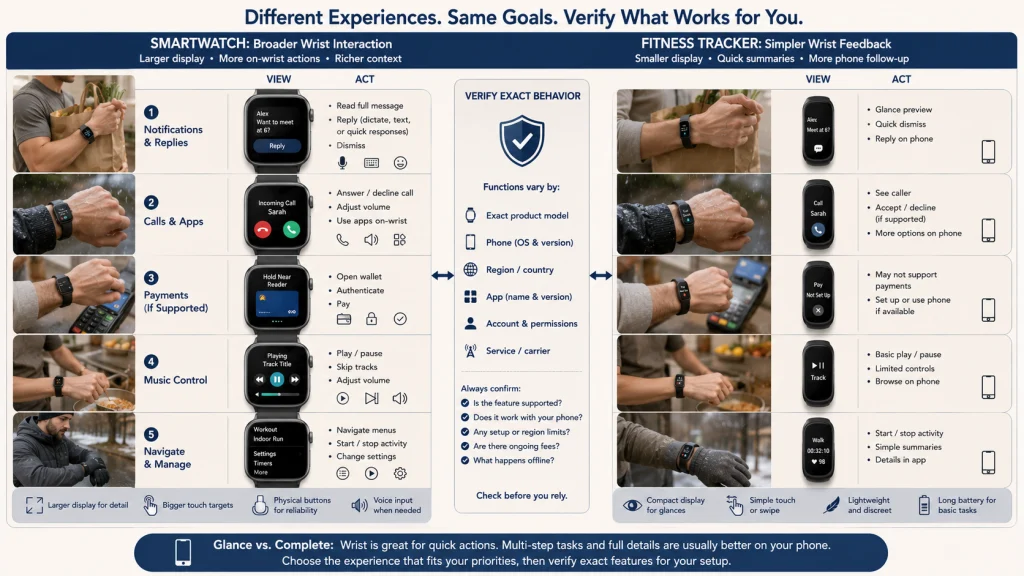
The screen changes how much can happen without the phone. A larger display can make messages, menus, maps, timers, and controls easier to use, but it also places more information and more opportunities for interruption on the wrist.
Physical buttons, touch controls, rotating controls, gestures, and voice input can feel very different during movement, rain, gloves, cooking, or carrying objects. Do not compare screen size alone. Consider whether the controls work in the situations where the action is needed.
| Current-product behavior to compare | Smartwatch tendency | Fitness-tracker tendency | What must be verified |
|---|---|---|---|
| Display | More room for text, controls, and multi-step interaction. | More compact summaries and simpler menus. | Screen size, readability, touch targets, brightness behavior, and always-on options. |
| Notifications | May provide broader viewing and response options. | May focus on basic alerts and short previews. | Supported apps, reply methods, phone dependence, and notification filters. |
| Calls and apps | May support broader calling and app interaction. | May offer fewer or narrower on-device functions. | Exact model, phone, network setup, region, app availability, and account requirements. |
| Payments | May support wrist payments in eligible setups. | Some current trackers may also support payments. | Country, bank, service, account, and device support. |
| Music | May offer more controls, apps, or stored content options. | May provide basic control or narrower music functions. | Phone connection, service, storage, subscription, headphones, and offline support. |
A person who needs to glance at a timer may not need the same screen as someone who follows a map or responds to messages. Compare the action, not the number of icons shown in a product image.
Compare activity start, GPS, route display, and workout interaction
Exercise tools should be compared by what happens before, during, and after the activity. Before starting, consider how many steps are needed to select the activity. During it, consider which numbers or controls must remain visible. Afterward, consider whether the summary on the wrist is enough or whether the phone app will handle the real review.
Built-in location capability and phone-connected location capability are different ownership experiences. A device may record a route without the phone, depend on the phone for location, or offer different behavior under different settings. Route recording also does not guarantee that a useful map or directions appear on the wrist.
This comparison does not determine which category measures activity more accurately. Exact sensors, algorithms, activity modes, location behavior, and data screens vary by product and software. Use the activity and GPS tracking guide when recording behavior and exercise interaction need a deeper review.
Compare phone dependence and operating-system compatibility
The wearable may be on the wrist, but setup, syncing, settings, updates, account management, and detailed review often live on the phone. Compatibility should be checked before display, style, or sensor claims become persuasive.
- Confirm that the exact wearable supports your phone model or phone family.
- Check the required operating-system version and whether your phone can run it reliably.
- Review which functions need the phone nearby and which continue without it.
- Check whether setup or account recovery requires another device or service.
- Confirm regional availability for the features that matter to you.
A smartwatch may offer more phone-like functions, but that does not make it independent of the phone. A tracker may have simpler interaction while still depending on the same phone for setup and detailed review.
Compatibility warning: Do not purchase based on a category assumption. Verify the exact hardware, phone, operating system, region, account, and feature requirements using current product documentation.
Use the cellular and GPS smartwatch comparison when the main question is what a watch can do away from the phone.
Compare charging, case size, bands, skin contact, and overnight use
Charging claims matter less than the charging window available in your life. A device that fits comfortably into a short daily charging routine may create less friction than one with a longer interval but an inconvenient charger or unpredictable low-battery timing.
Case size and weight affect sleeves, typing, sleep position, exercise, and how noticeable the device feels through the day. A larger screen may be easier to read but more present under a cuff or against a pillow. A smaller tracker may feel quieter on the wrist, though the band and sensor housing can still create pressure or skin contact concerns.
Review the band attachment, clasp, adjustment range, material, cleaning needs, moisture behavior, and replacement access. A band that feels acceptable during a brief try-on may become irritating after heat, sweat, washing, or overnight wear.
Use the smartwatch size guide when case and display geometry are the remaining questions after choosing a category.
Practical boundary: Material, water resistance, charger design, and expected charging behavior must be checked for the exact product. Category labels do not provide a universal answer.
Compare the app, subscription, account, support, and data path
Interest in the app can fade well before the device itself wears out, or the app can become the part of the system you rely on most. Review how information moves from wrist to phone and what remains accessible if you stop paying for an optional service or change devices later.
- App: Is the interface understandable enough that you will actually review it?
- Subscription: Which desired features are included, paid, trial-based, or unavailable?
- Account: What information is required for setup, recovery, and transfer?
- Software support: Is the device currently supported, and how are updates delivered?
- Data export: Can you retrieve or move the information you care about?
Do not treat an account or subscription as a minor detail added after purchase. It is part of the ownership system. Use the broader wearable form comparison when you still need to consider a wrist device against a screen-free ring form.
Health boundary: Consumer wearable readings, scores, alerts, and estimates do not provide a diagnosis, medical clearance, or treatment plan. Concerning symptoms require appropriate medical attention regardless of what the device displays.
Calculate purchase, plan, accessory, and replacement cost
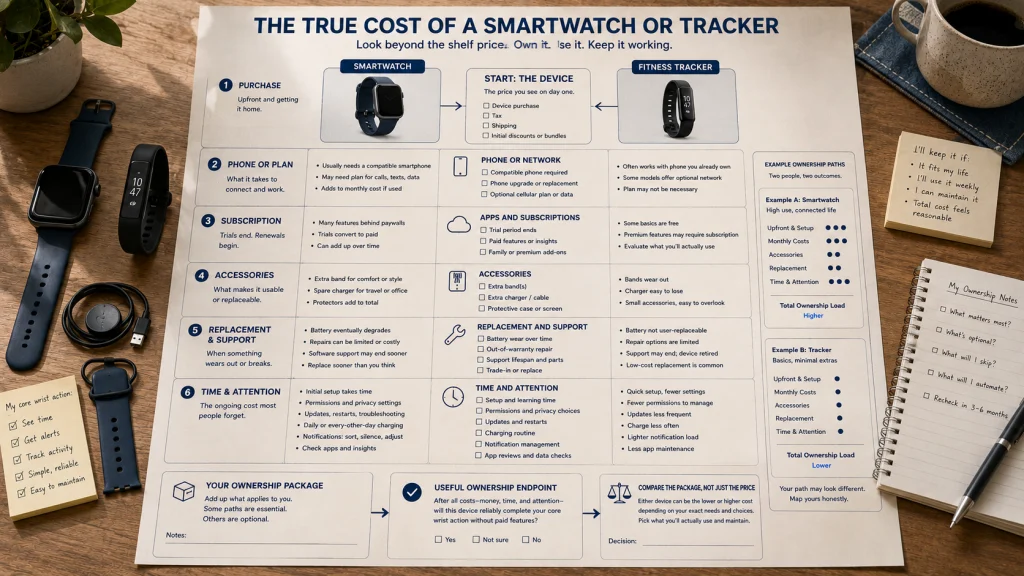
The shelf price is only the first line. Build a cost view that matches how long you expect to keep the device and which optional functions you intend to use.
| Cost category | What to include | Question to answer |
|---|---|---|
| Initial purchase | Device, tax, shipping, and any required configuration difference. | Are you paying for functions that appear on the worksheet? |
| Phone or network requirement | Compatible phone, optional network plan, activation, or account requirement. | Does the desired wrist action create another recurring bill? |
| Subscription | Optional or required app features, trials, and renewal timing. | Would the device still meet the core job without the paid tier? |
| Accessories | Replacement band, protective accessory, extra charger, or travel charging setup. | Which accessories solve a real use problem rather than decorate the purchase? |
| Replacement and repair friction | Charger replacement, band availability, battery condition, repair path, and device support. | What is likely to end useful ownership first? |
| Time and attention | Setup, permissions, updates, charging, notification management, and app review. | Does the repeated effort match the value of the information? |
A tracker is not universally cheaper, and a smartwatch is not universally more expensive after accessories, plans, subscriptions, replacement parts, and support are included. Compare the exact ownership package, not a category stereotype.
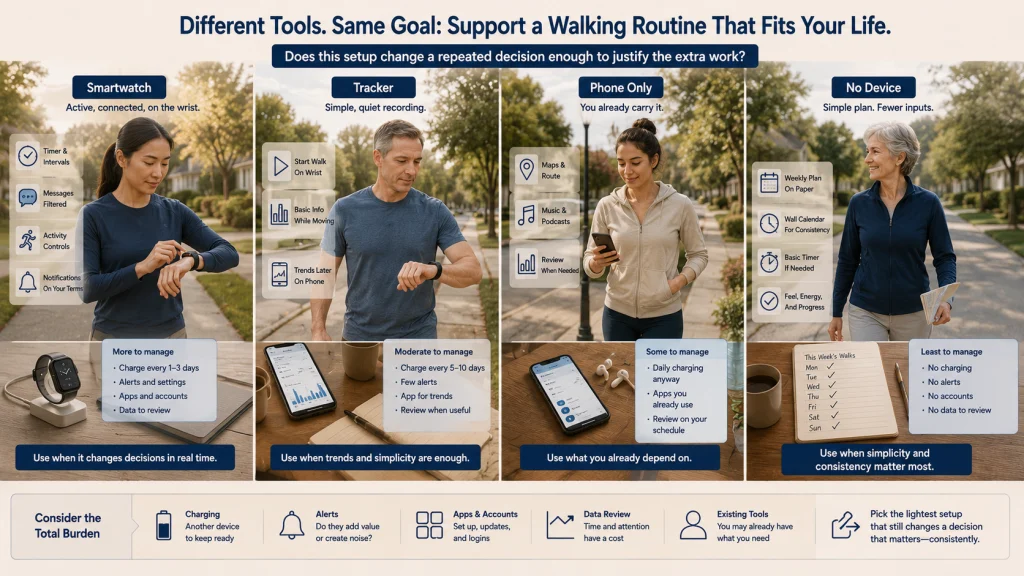
Run four scenarios before choosing a device
Use the same desired outcome across four setups. The contrast shows whether a new wearable changes the repeated action enough to justify its burden.
Scenario 1: A smartwatch supports repeated wrist interaction
The reader regularly checks directions, manages timers, views messages, and controls activities while the phone is packed away. A current compatible smartwatch may be worth considering because the larger screen and broader controls reduce repeated phone access. The purchase still depends on fit, charging, app setup, and whether the extra alerts can be limited.
Scenario 2: A fitness tracker records without demanding much attention
The reader wants to start a walk, glance at a few basic details, and review trends on the phone later. Calls, maps, payments, and broader apps do not belong on the requirement list. A tracker may offer the narrower interaction pattern the reader actually wants, provided the current product supports the phone and activity workflow.
Scenario 3: The existing phone already completes the job
The reader carries a phone during every walk, uses it for maps and music, and checks trends only at home. The remaining wrist need is occasional and does not justify another device, charger, app, account, and notification stream. A phone-only setup becomes the practical fallback rather than a compromise.
Scenario 4: No device supports the real goal better
The reader wants fewer interruptions and does not use recorded data to make a repeated decision. A simple paper plan, a familiar route, a wall calendar, or a basic timer may support the intended routine without adding charging or data review. Choosing no wearable is a valid outcome when tracking does not change action.
Test a no-device alternative before buying
For one week, complete the intended task with the phone or a non-wearable method. Record the point where the setup becomes inconvenient.
A new device is easier to justify when the test reveals a clear repeated need, such as unsafe phone handling during movement, frequent missed timers, or a genuine need to control an activity from the wrist. Do not buy only because the current setup feels less novel.
Choose the wrist actions, ecosystem, burden, cost, and fallback
Write the final decision in five lines:
- Wrist actions: The exact actions that must happen without opening the phone.
- Ecosystem: The phone, operating system, app, account, region, and optional network setup required.
- Burden: The charging, alerts, settings, fit, and review routine you are willing to maintain.
- Cost: The purchase price plus plans, subscriptions, accessories, and likely replacement needs.
- Fallback: The tracker, phone-only method, or no-device option you will use if the first choice adds too much friction.
Use the broader wearable health technology guide when you need to reconsider whether tracking belongs in the goal at all. Compare a smart ring with a smartwatch or a smart ring with a fitness tracker when wrist wear itself is the part you want to avoid.
The better choice is the setup that supports repeated action after the excitement of setup has passed. More capability is useful only when it earns its place in the day.
FAQs
⌚ Is a smartwatch always more capable than a fitness tracker?
No. Smartwatches generally support broader interaction, but current trackers can include screens, notifications, location features, payments, and activity controls. Compare the exact products and the actions you need rather than relying on the label.
🔋 Do fitness trackers always last longer between charges?
No category-wide rule is reliable. Charging behavior depends on the exact device, display settings, location use, notifications, activity recording, software, and battery condition. Check the current product and decide whether its charging routine fits your day.
📱 Can either device work without a phone?
Some actions may continue without the phone nearby, while setup, syncing, updates, accounts, or detailed review may still depend on it. Verify every phone-free action you care about for the exact product and setup.
🗺️ Does GPS mean I can view maps on the wrist?
Not necessarily. Location recording, route display, directions, and phone-independent navigation are separate behaviors. Confirm what the exact device shows and what requires a connected phone or app.
💳 Should payments and music decide the category?
Only when you expect to use them often enough to change a repeated action. Also confirm regional support, service requirements, subscriptions, headphones, phone dependence, and account setup before giving those features much weight.
🌙 Which category is better for overnight wear?
Comfort depends on the exact case, band, sensor housing, fit, skin contact, charging routine, and sleep position. A smaller form may feel less noticeable, but category alone cannot predict overnight comfort.
💰 Is a tracker always the cheaper option?
No. Compare the full package, including the device, accessories, subscription, charger, replacement band, phone requirement, and expected support. A lower shelf price may not produce a lower ownership cost.
🩺 Can a smartwatch or tracker tell me whether I am healthy?
No. A consumer wearable, app, score, alert, or estimate does not provide a diagnosis, medical clearance, or treatment plan. Seek appropriate medical attention for concerning symptoms regardless of the device reading.