Slouching often returns because the task still rewards the same position. Instead of relying on willpower, record when the pattern appears, what you are looking at or reaching for, which body areas lack support, and how fatigue changes the task. Make one trigger easier, use a short low-force reset, vary positions rather than holding one corrected pose, and use reminders only when they lead to a specific action. Product questions, full desk setup, and break scheduling belong in separate workflows. Stop self-guided troubleshooting when pain, weakness, numbness, balance changes, injury symptoms, or other concerning signs appear.
The Slouch-and-Correct Loop Often Starts With the Task
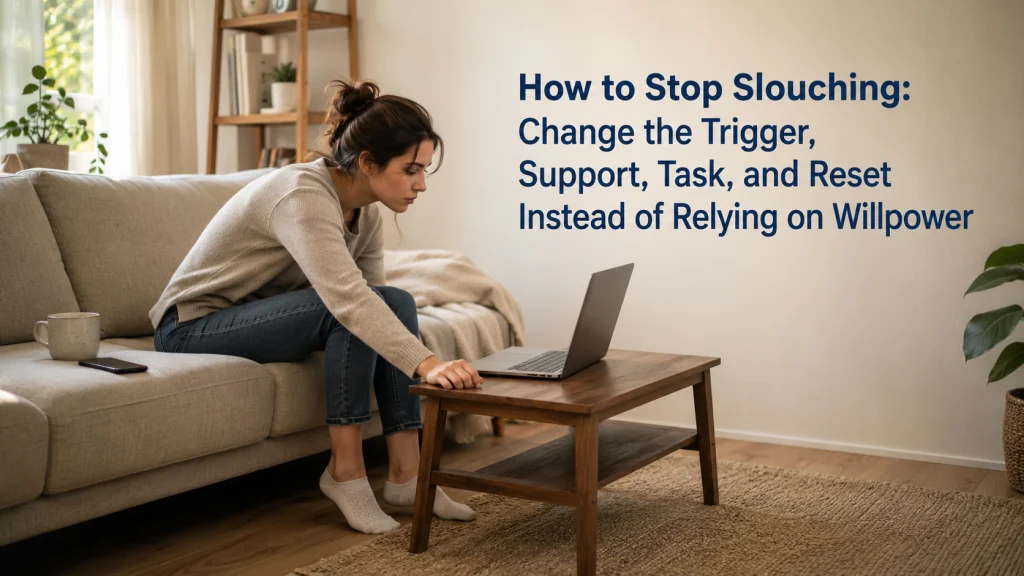
You notice yourself leaning toward a laptop, pull the shoulders back, sit taller, and feel briefly more organized. A few minutes later, the same position returns. It can feel frustrating because the correction seemed clear and the intention was real.
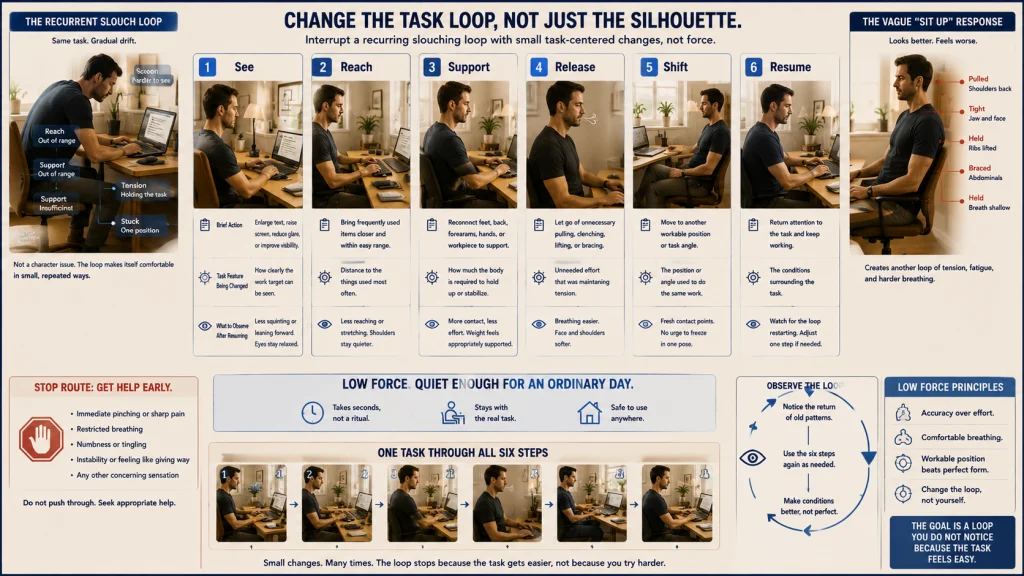
The pattern makes more sense when it is drawn around the task instead of treated as a failure of discipline.
- Lean toward small text: The eyes and head move closer to the screen.
- Lose support: The back moves away from the chair and the arms reach forward.
- Fatigue builds: The task continues while the body holds the same unsupported shape.
- Notice and force upright: The shoulders are pulled back and the trunk is held rigidly.
- Return to the task: The screen distance and reach stay unchanged, so the loop begins again.
A habit returns when the task still rewards it. The goal is not to win a longer argument with the body. It is to change one part of the loop so the easier position no longer requires constant correction.
The broader posture improvement process can help place this one-trigger experiment inside a larger routine without demanding one fixed position all day.
Define Slouching as a Recurring Position, Not a Character Flaw or Diagnosis
Once the loop is visible, the word “slouching” becomes less personal. It is a broad everyday label for a position that repeatedly appears during a task. It may involve leaning forward, rounding through the upper body, sliding down in a chair, lowering the head toward a device, or resting more heavily on one side.
The label does not identify a medical cause. It does not prove that the person lacks motivation, has a particular muscle problem, or has damaged the body. It describes a position that can be observed in context.
That distinction matters because people often notice the posture only after becoming absorbed in work, reading, driving, or a game. Looking up and realizing that the same shape has returned can bring embarrassment or self-criticism, even when the task itself has been pulling the body there for an hour.
Replace judgment with a description:
- “I move closer to the laptop after reading for several minutes.”
- “I slide forward when my feet lose contact with the floor.”
- “I bend toward the counter when the workpiece sits too far away.”
- “I hunch over the phone when the text is small.”
The overview of posture and ergonomics connects these observations with tasks, supports, visual demands, and movement rather than reducing them to a character judgment.
Record the Task, Time, Device, Surface, Reach, Support, and Fatigue
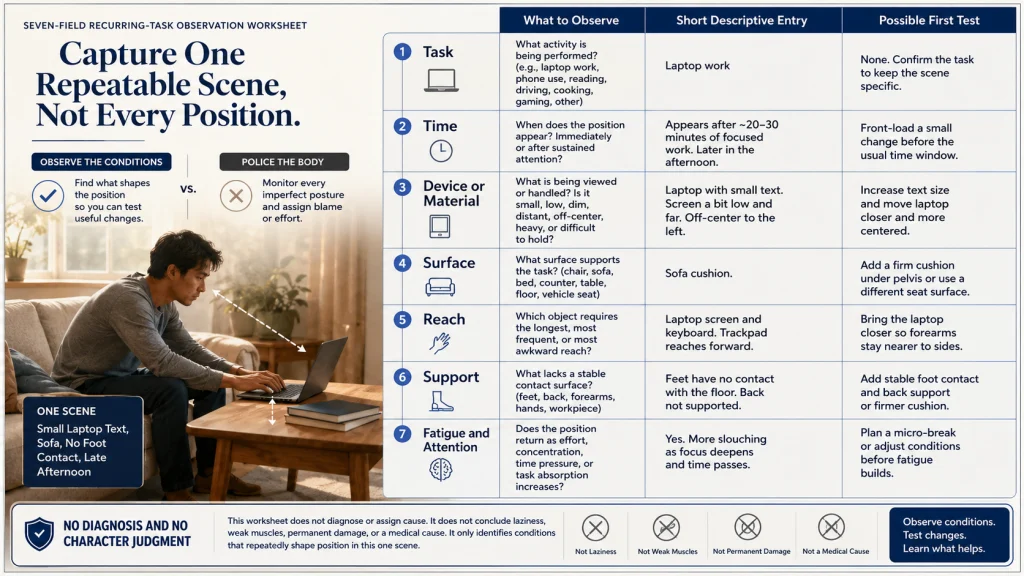
Memory usually captures the moment of correction, not the conditions that produced the position. A short trigger inventory fills in that missing context.
Record the task first: laptop work, phone use, reading, driving, cooking, gaming, or another repeated activity. Add the time and whether the position appeared immediately or after sustained attention.
Then note the device or material being viewed or handled. Was the target small, low, dim, distant, or difficult to hold? Record the surface as well, including the chair, sofa, bed, counter, table, floor, or vehicle seat.
Finish with three practical questions. What required the longest reach? Which part of the body lacked support? What was happening with fatigue and attention when the position returned?
One ordinary task is enough for the first review. Constantly monitoring every position can make the person more tense without revealing the trigger.
Nora’s practical preference is to capture one repeatable scene rather than every imperfect moment. “Small laptop text, sofa, no foot contact, late afternoon” gives the next experiment somewhere concrete to begin.
Identify Visual Triggers Without Turning This Into a Full Workstation Setup
The inventory often reveals that the body is moving toward something it is trying to see. Small text, a low screen, glare, dim lighting, or a device placed off to one side can quietly pull the head and trunk closer.
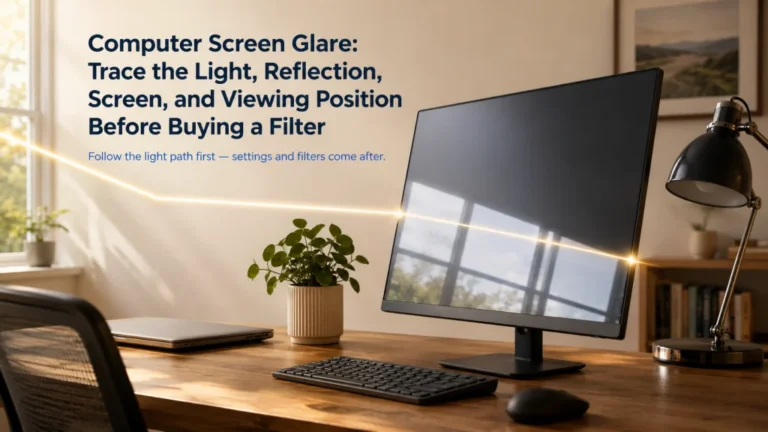
Notice whether the person leans forward only when reading dense text, lowers the head toward a book or phone, shifts sideways to avoid glare, or moves closer as concentration deepens. A brief change in text size, viewing distance, or material position may show whether visual demand is part of the loop.
This is not a complete desk arrangement or an exact equipment prescription. It is a narrow test of whether seeing the task is one reason the same position keeps returning.
Once the target is easier to see, the next question is whether the hands and arms still have to chase it.
Identify Reach Triggers Around Keyboards, Mice, Tools, Phones, and Reading Material
A task that stays a little too far away can reward leaning for hours. The body may move forward because that position shortens the distance to a keyboard, mouse, cutting board, controller, steering wheel, phone, or page.
Begin in the usual working position without pulling the shoulders back. Notice which object requires the longest or most repeated reach, then bring that object closer when it can be moved safely. Repeat the real task briefly and observe whether the forward pull changes.
The useful adjustment may be small. Moving a mouse, book, bowl, or phone closer can reduce repeated reaching without asking the body to hold itself farther back through effort alone.
That result does not settle every posture question. It simply identifies reach as one part of this particular task loop, which leads naturally to the support the task may be missing.
Check Unsupported Feet, Back, Arms, and Workpieces
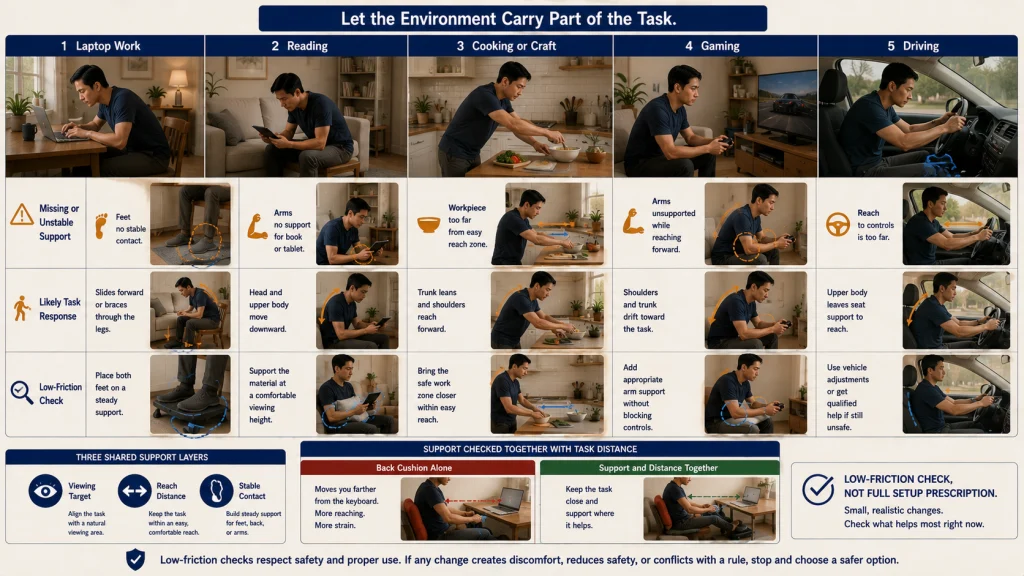
Support is not only a chair-back question. Feet, arms, and the workpiece can all change how much effort the body uses to stay near the task.
| Task-support-reach matrix | Missing or unstable support | Likely task response | Low-friction check |
|---|---|---|---|
| Laptop work | Feet do not contact a stable surface | The person slides forward or braces through the legs | Check whether stable foot contact changes the position |
| Reading | The book or device must be held low without arm support | The head and upper body move down toward it | Support the material closer to the viewing area |
| Cooking or craft work | The workpiece sits far from the body | The trunk leans and the shoulders reach forward | Bring the safe work zone closer |
| Gaming | Forearms remain unsupported while controls stay forward | The shoulders and upper body drift toward the screen | Check whether arm support changes the reach |
| Driving | The controls or wheel require repeated forward reach | The upper body leaves the seat support | Use the vehicle’s intended adjustments and seek qualified help when fit remains unsafe |
The matrix asks whether the environment can carry part of the task. When seeing, reaching, and support improve together, the reset no longer has to fight the full setup.
Change or Alternate the Task and Position Instead of Holding One Corrected Pose
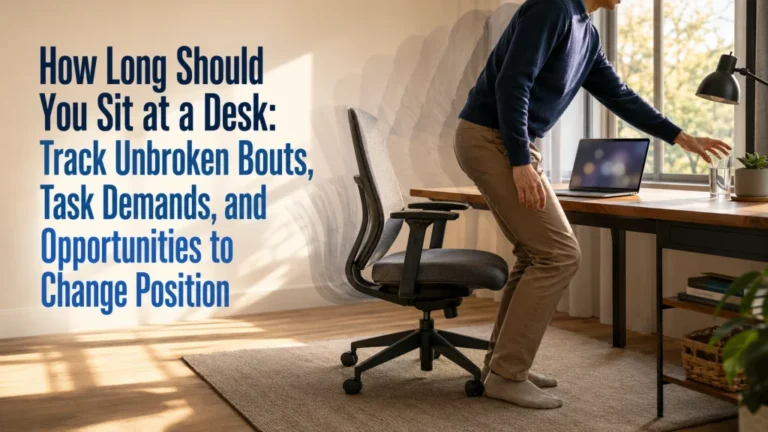
Even a workable position can become tiring when it remains unchanged. The solution is not to find one shape and protect it from movement.
Use natural transition points. A paragraph ending, completed game round, cooking step, phone call, or finished work block can become a moment to change the viewing surface, move the task, reconnect support, or use another workable position.
These changes do not need to look dramatic. The relief may come from putting the phone down, moving a reading task to a table, changing the work surface, or alternating between tasks with different reach and visual demands.
This article does not prescribe a universal movement-break interval. The useful timing depends on the task, symptoms, environment, and the person’s ability to change position.
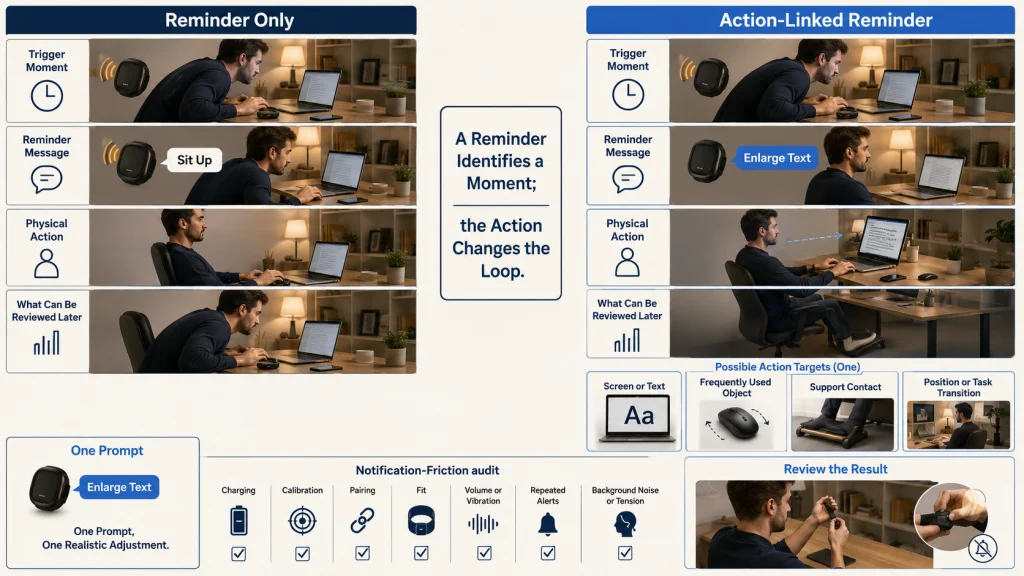
A reminder becomes useful only after one of these actions has been chosen.
Use Reminders Only When They Trigger a Specific Action
A reminder can mark the moment the loop is happening, but its value depends on what happens next.
Buzzes, vibrates, or appears on a screen.
Action is vague: “Sit up.”
The person may brace briefly and return to the same trigger.
Appears at a known trigger or transition.
Action is specific: enlarge text, move the mouse, reconnect support, or change position.
One part of the loop changes and can be reviewed afterward.
Nora compares reminders by the action they make possible, not by how forcefully they demand attention. A useful prompt might point to the screen, mouse, feet, or task transition. A vague alert can become one more interruption in a day that already feels crowded.
Keep one prompt only when it leads to one realistic adjustment. If alerts are ignored, create tension, or fade into background noise, the system needs a different action rather than more notifications.
Audit Braces, Sensors, Cushions, and Stands Before Purchase
Products in this category solve different parts of the loop, and some do not change the trigger at all.
Reminder wearables and vibrating sensors can identify a moment, but they add charging, calibration, pairing, fit, and notification questions. Their usefulness still depends on whether the alert leads to a specific environmental action.
Lumbar cushions change contact with the chair. They may also move the body farther from the keyboard, change seat depth, trap heat, or create pressure when the shape does not fit the chair and task.
Laptop stands can change viewing height, but raising a laptop can separate the screen from its attached keyboard and trackpad. The visual trigger may improve while the reach problem becomes larger unless the full task setup is considered.
Posture correctors add fit, pressure, heat, storage, clothing, breathing, and movement questions. They should not be used to force through pain, numbness, weakness, restricted breathing, or post-injury symptoms.
Nora’s buyer-style comparison is to write the hidden work beside each category: charge it, wear it, store it, clean it, adjust it, or rearrange the task around it. That makes it easier to see whether a product changes the cause of the loop or simply adds another layer to manage.
This article does not recommend a brace, medical device, or specific product. General purchasing and fit questions belong in the later equipment workflow.
Route Full Desk Setup, Break Scheduling, Product Choice, and Posture Questions Separately
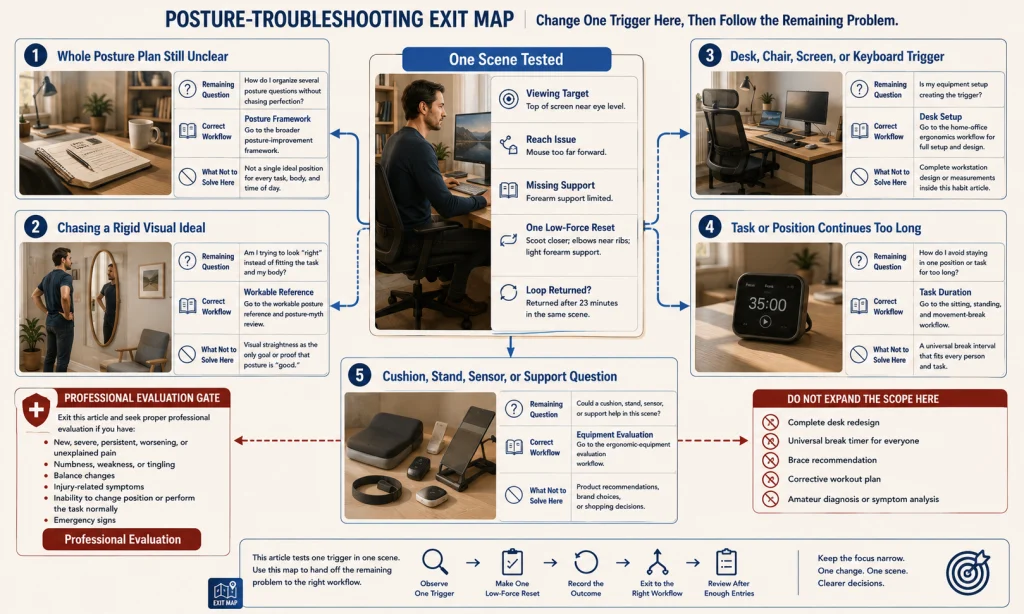
Once the first trigger has been tested, the remaining question may belong somewhere else. The routing card prevents this habit experiment from expanding into several different projects at once.
- The whole posture plan still feels unclear: Continue with the posture improvement framework.
- You are chasing a rigid visual ideal: Revisit a workable posture reference and common posture myths.
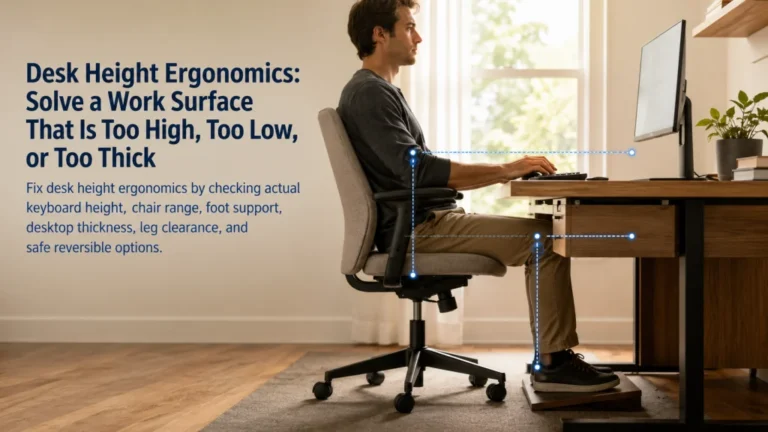
- The trigger belongs to the desk, chair, screen, or keyboard: Move to the home office setup workflow.
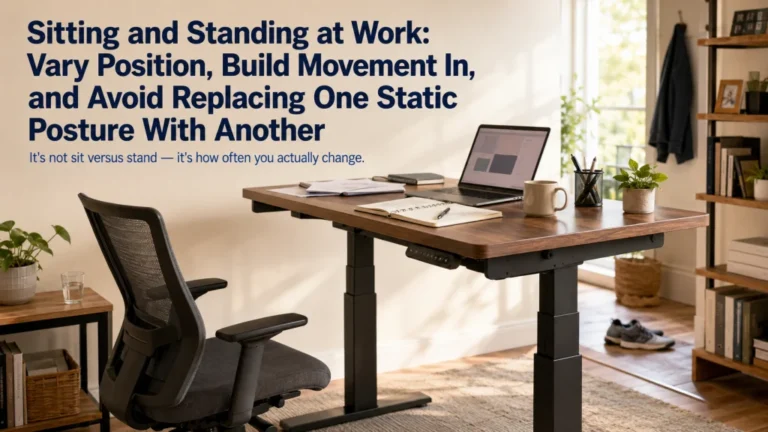
- The problem is how long one task or position continues: Use the sitting and standing workflow.
- The unresolved question is a cushion, stand, sensor, or support: Use the equipment evaluation workflow.
The card is not a repeat of the full article. It is an exit map. Change one trigger here, then follow the route that matches the problem still left on the table.
Stop When Pain, Weakness, Numbness, Balance Changes, or Functional Limits Appear
Lifestyle troubleshooting must stop when the experience moves beyond an ordinary position habit or a low-effort task adjustment.
Professional-evaluation boundary: Seek appropriate professional evaluation for new, severe, persistent, worsening, or unexplained pain; numbness; weakness; tingling; balance changes; symptoms after a fall or injury; or an inability to change position or perform the task normally. Loss of bowel or bladder control, chest pain, severe shortness of breath, or fainting requires immediate appropriate help.
Do not use a reminder, brace, cushion, stronger shoulders-back cue, or longer holding test to see whether these symptoms can be overcome. A symptom log can record the task, timing, and change in function, but it cannot establish a diagnosis.
Change One Trigger, Define One Reset, and Review Whether the Loop Returns
Start with one recurring scene. Record what the person is trying to see or reach, which contact is missing, and when fatigue or attention changes the position.
Then make one part of that scene easier. Enlarge the text, move the object closer, reconnect support, reduce bracing, or shift to another workable position. Define a short reset that can happen without turning the body into another task.
If a reminder is used, connect it to that action. If a product is considered, count the setup, charging, fit, storage, and task changes along with the advertised function.
Success is not a day spent constantly policing the body. It is a loop that becomes easier to notice, easier to interrupt, and less likely to return for the same avoidable reason. When symptoms or functional limits move beyond ordinary task troubleshooting, stop and use the appropriate professional route.
FAQs
🔁 Why do I keep slouching after I sit up straight?
The task may still reward the same position through small text, long reach, missing support, fatigue, or sustained attention. A forced correction can briefly change the body without changing the trigger.
💻 Can a low laptop screen make me lean forward?
It can create a visual reason to move closer, especially when text is small or glare makes viewing difficult. Record whether changing the viewing demand alters the repeated position.
🪑 Does chair support stop slouching?
Support may reduce holding effort, but it does not address every visual, reach, task, or duration trigger. Check feet, back, arms, and task distance together.
📳 Are posture reminders useful?
A reminder is useful only when it triggers a specific action such as enlarging text, moving an object closer, reconnecting support, or changing position. A vague alert may lead to brief bracing while the task remains unchanged.
🧍 Should I hold my shoulders back all day?
No. Constant pulling can create effort, stiffness, or breathing restriction. Use a low-force reset and allow ordinary position changes instead of holding one corrected pose.
⏰ How often should I take posture breaks?
This article does not give one universal interval. Use task transitions and changes in comfort, attention, or support as review points, then route detailed scheduling to the sitting and standing workflow.
🚩 When should I stop trying to correct slouching myself?
Stop for new, severe, persistent, worsening, or unexplained pain; numbness; weakness; tingling; balance changes; injury-related symptoms; or loss of normal function. Emergency signs require immediate appropriate help.