Whether you should wear a fitness tracker all day depends on the question you want the device to answer. Some metrics need consistent wear across a defined window, while other hours add little value and may be better used for charging, cleaning, drying, skin comfort, work restrictions, or private time. Build the schedule around one or two useful metrics, accept intentional gaps, and never treat estimated or backfilled data as though the sensor measured it. Remove the device for persistent redness, pain, numbness, swelling, unusual heat, or visible damage, and seek appropriate care for concerning symptoms.
Build a Twenty-Four-Hour Purpose Ring
A dashboard can make an unbroken day look like the ideal day. The device fills every chart, the battery graph stays under control, and the wrist disappears behind the routine. Then a familiar moment arrives: the band is still damp after exercise, the skin feels uncomfortable, and removing the device seems like losing a streak. That is exactly when the schedule should make the decision easier. Complete data is not automatically better than intentional data.
Picture the day as a ring with six different kinds of time:
Hours that directly contribute to the metric or decision you use.
Hours that may add context but are not required for the current purpose.
A predictable low-value window with a dry device and dry charger.
Time for the case, band, skin, and trapped moisture to be addressed.
Work, water, heat, impact, or equipment conditions that require removal.
A chosen period without tracking, alerts, shared data, or a device on the body.
Read the six blocks as a loop rather than a checklist: useful wear can lead into optional wear, then a care or charging window, a restricted or private period, and back to useful wear when the next data question begins. The ring does not need the same proportions every day. A work shift, workout, shower, social event, or overnight question may move the boundaries.
Core rule: Choose the data question first. Then schedule useful wear, optional wear, and intentional removal around it.
The wearable technology guide explains the limits and roles of consumer devices. The guide to using a fitness tracker covers the wider setup decisions that make the schedule practical.
List the One or Two Metrics That Justify Wear
Start with the information you actually review or act on. Wearing a device through every hour makes little sense when the resulting charts never influence a decision.
Write one sentence for each chosen metric:
- “I use step and movement patterns to notice long desk periods.”
- “I record selected workouts so I can compare session frequency.”
- “I use overnight wear to explore one later sleep question.”
- “I want a consistent resting trend collected under similar conditions.”
- “I need timely call or calendar alerts during a defined work window.”
These examples describe possible purposes, not promises about accuracy or health meaning. A consumer wearable can organize observations, but it does not diagnose a condition, clear symptoms, or replace professional evaluation.
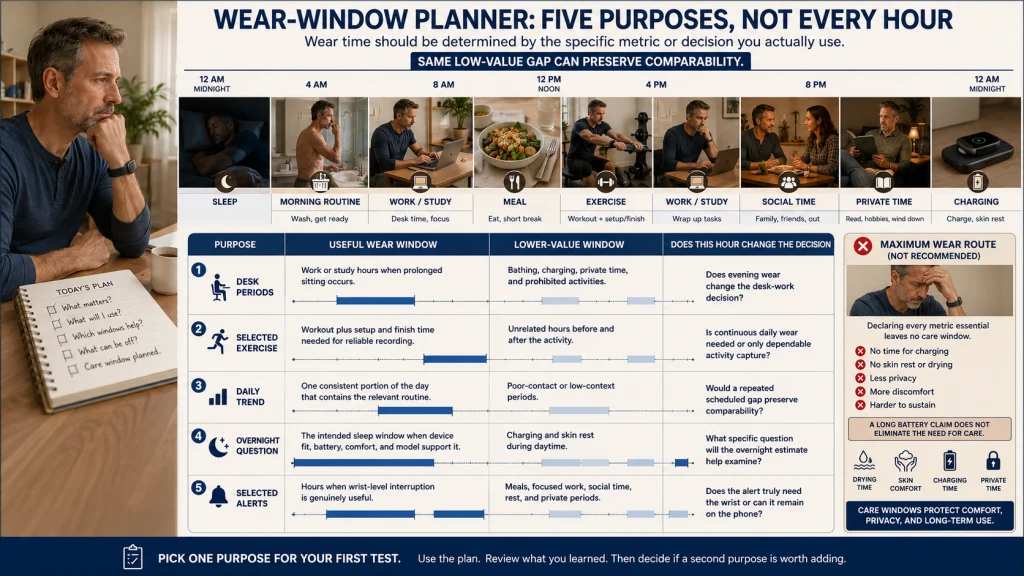
Limit the initial schedule to one or two purposes. If every available metric is labeled essential, there is no low-value time left for care, comfort, or privacy.
Identify Which Hours Actually Contribute to Those Metrics
Different questions require different windows. A movement pattern during desk work does not require the same schedule as workout recording or an overnight observation.
| Purpose | Useful wear window | Usually lower-value window | Question before extending wear |
|---|---|---|---|
| Notice long desk periods | Work or study hours when prolonged sitting occurs | Bathing, charging, private time, and activities where the device is prohibited | Do evening hours change the decision you make during desk work? |
| Record selected exercise | The workout plus enough setup and finish time for the intended recording | Unrelated hours before and after the session | Is continuous daily wear needed, or only reliable activity capture? |
| Review a daily trend | A consistent portion of the day that contains the relevant routine | Periods that add little context or produce poor sensor contact | Would the trend remain comparable with the same scheduled gap each day? |
| Explore an overnight question | The intended sleep window when the exact device and fit support it | A daytime period chosen for charging and skin rest | What specific question will the overnight data help examine? |
| Receive selected alerts | Hours when wrist-level interruption is genuinely useful | Meals, focused work, social time, rest, or private periods | Does the alert need the wrist, or is the phone enough? |
A stable removal window can preserve comparability. Taking the device off at the same low-value point each day turns care into part of the method rather than an interruption to it.
Editorial observation: A long battery claim can make removal feel unnecessary, but the band may still need drying, the skin may need air, and the next useful metric may not begin for hours. The better schedule removes the device before moisture, discomfort, or a nearly empty battery forces the decision.
Schedule Removal for Care, Restrictions, and Private Time
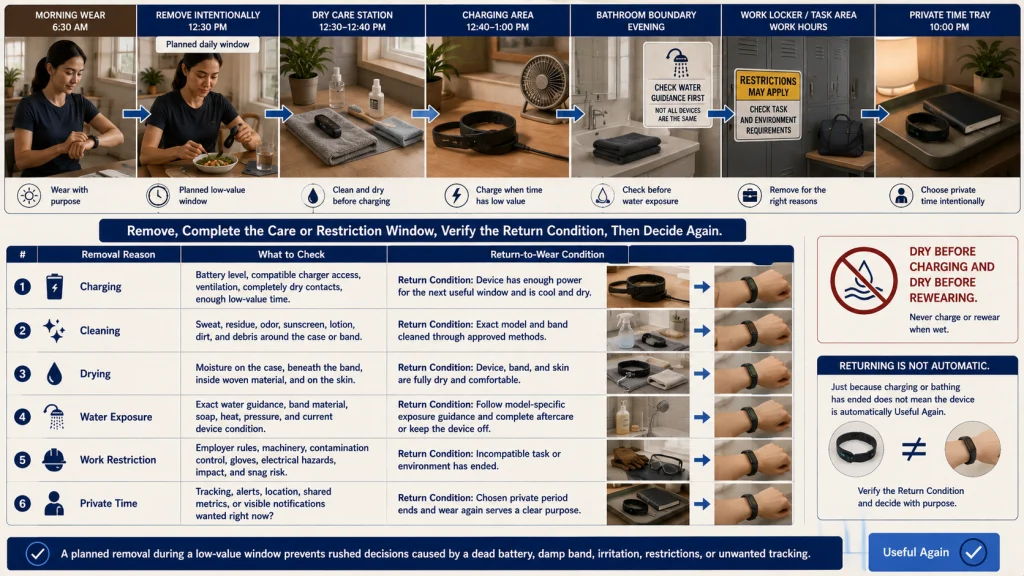
Do not wait for a dead battery, damp band, irritated wrist, or workplace warning to decide when the device comes off. When removal is improvised, it often happens at the least convenient moment and the device is put back on before the care step is complete. Place removal windows into the day before those problems appear.
| Removal reason | What to check | Return-to-wear condition |
|---|---|---|
| Charging | Battery level, charger access, ventilation, dry contacts, and enough low-value time | Charging is complete enough for the next useful window, and the device is cool and dry. |
| Cleaning | Sweat, residue, odor, sunscreen, lotion, dirt, and debris around the case or band | The exact model and band have been cleaned by approved methods. |
| Drying | Moisture on the case, under the band, in woven material, or on the skin | Device, band, and skin are fully dry and comfortable. |
| Bathing or water exposure | Exact water guidance, band material, soap, heat, pressure, and current device condition | The activity is permitted and aftercare is complete, or the device remains off. |
| Work or task restriction | Employer rules, machinery, contamination control, gloves, electrical hazards, impact, and snag risk | The restricted task or environment has ended. |
| Private time | Whether tracking, alerts, location, shared metrics, or visible notifications are wanted | The chosen private period has ended and wear again serves a clear purpose. |
The guide to cleaning a fitness tracker covers model and band methods. Use the guide to charging a fitness tracker safely to plan around dry contacts, compatible equipment, heat, and charger placement.
Allow Skin Breaks Based on Comfort and Exact Guidance
A skin break is not a failure to collect data. It is part of wearing an object that holds material, pressure, sweat, soap residue, and heat against the same area for long periods.
Google’s current Fitbit product-care guidance advises regular wrist breaks after extended wear, loosening the band after exercise, and keeping the device, band, and skin clean and dry. It gives an approximate break example for that product family, but the example should not be turned into a universal wear schedule for every person or wearable.
Apple’s wear and fit guidance similarly emphasizes a fit that is snug but comfortable, room for the skin to breathe, loosening after workouts, and keeping the watch, bands, and skin clean and dry.
Use comfort and the current instructions for the exact model and band. A break may fit naturally during bathing, desk work that does not need tracking, charging, meal preparation, or another low-value window.
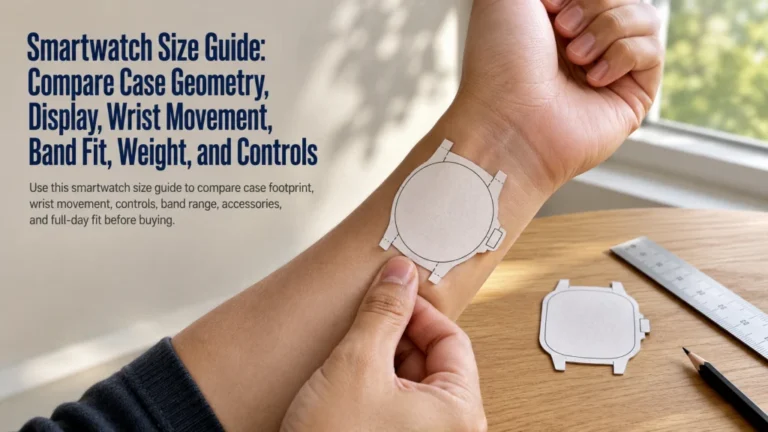
For case position, band tension, wrist choice, and activity-specific adjustment, use the guide to wearing a fitness tracker correctly.
Build a Post-Workout Sweat and Band-Change Rule
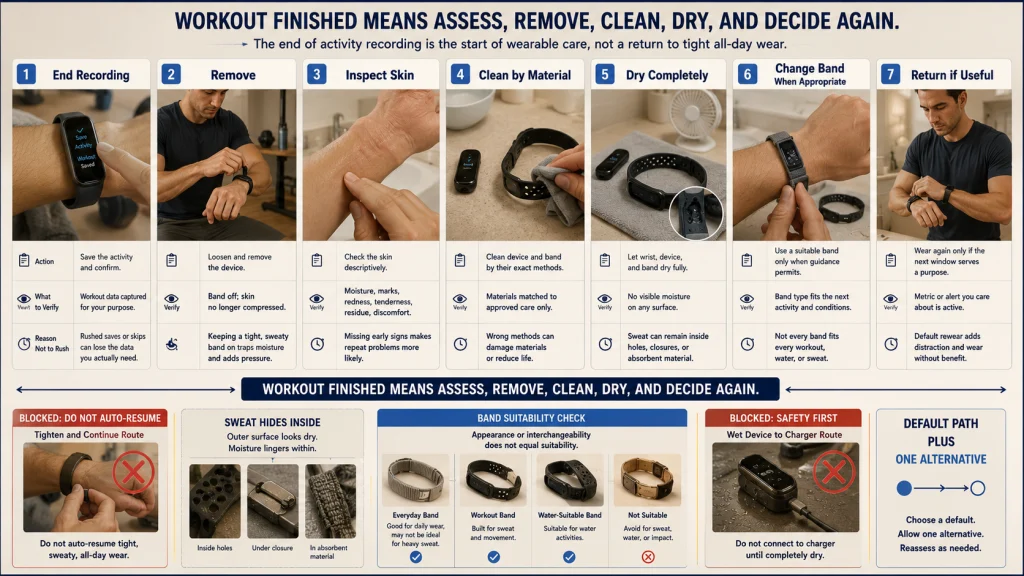
The end of the workout should trigger a care sequence rather than an automatic return to all-day wear. Sweat can remain beneath the case, inside holes, around closures, and within absorbent material after the visible surface looks dry.
- End the recording: Save the activity and check that the data needed for the workout is complete.
- Remove the device: Loosen and remove it instead of leaving the same tight workout fit in place.
- Inspect the skin: Look for moisture, pressure marks, tenderness, residue, or discomfort without trying to diagnose the cause.
- Clean by material: Follow the exact instructions for the case and the attached band.
- Dry completely: Allow the wrist, device, and band to dry before rewearing or charging.
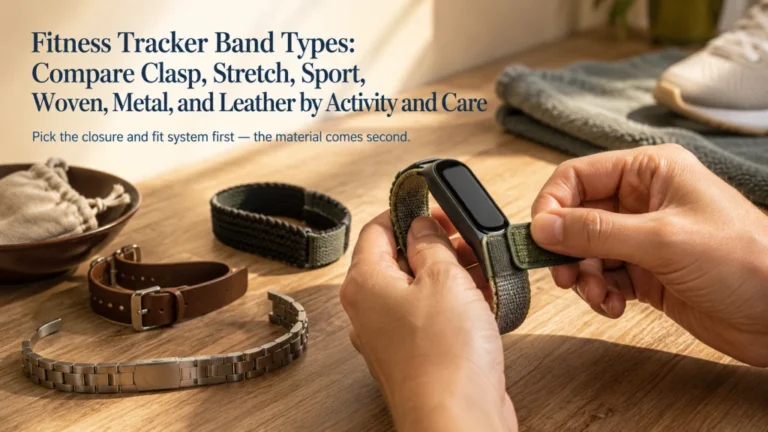
- Change the band when appropriate: A water-suitable, workout-suitable, or dry band may fit the next part of the day better than the exercise band.
- Return only if useful: Put the device back on when the next wear window serves a chosen metric.
A band marketed for daily appearance may not be intended for a sweaty workout. Check material guidance before treating every interchangeable band as suitable for every activity.
Simple rule: Workout finished means assess, remove, clean, dry, and decide again. It does not automatically mean tighten once more and continue wearing.
Decide Whether Overnight Wear Serves a Specific Question
Overnight wear should begin with a question, not the assumption that an empty sleep chart is a failure. Ask what you expect the data to help you notice and whether the exact device, fit, battery, and skin comfort support that window.
Examples of focused questions include whether bedtime and wake time are consistent, whether the device remains comfortable overnight, or whether a routine change corresponds with a repeated trend. The later guide to wearable sleep and recovery tracking evaluates what those estimates can and cannot answer.
Do not wear overnight merely to complete a dashboard if the band is damp, the wrist needs a break, the battery requires charging, or alerts repeatedly disturb sleep. Overnight estimates are not a diagnosis, and a reassuring score does not dismiss snoring, gasping, dangerous sleepiness, or another concerning symptom.
If overnight wear is useful, move charging and a skin break to a lower-value daytime window. If it is not useful, remove the device without treating the gap as missing evidence.
Turn Off Alerts During Wear Periods That Do Not Need Interruption
Wearing the sensor does not require accepting every wrist notification. Data collection and interruption are separate decisions.
Keep only alerts that serve the written purpose during that time. A movement reminder may help during desk work but add nothing during dinner. Calendar alerts may matter during a shift but not during sleep, exercise, or private conversation.
Use the guide to filtering fitness tracker notifications to separate timely wrist attention from information that can remain on the phone.
A quieter device may be easier to wear during useful sensor windows without creating notification fatigue. The goal is not maximum engagement with the device. It is enough access to the data or alert that supports the current task.
Accept Intentional Gaps and Label Them Honestly
A planned gap is not the same as a failed routine. It can represent charging, cleaning, restricted work, private time, water exposure, skin comfort, or a period in which the chosen metric has little value. Seeing a blank section in the app may still feel incomplete, but the gap can be the most honest record of how the device was actually used.
Record the gap when context matters:
- “Device charging during desk work.”
- “Removed for shower, cleaning, and drying.”
- “Not permitted during the work task.”
- “Private time, tracking intentionally paused.”
- “Removed after discomfort began.”
Do not backfill estimated steps, heart rate, sleep, or other measurements as though the sensor collected them. A manual note can describe activity or context, but it should remain visibly different from measured data.
For decisions about exporting, retaining, reviewing, or deleting accumulated records, use the guide to fitness tracker data management.
Stop for Persistent Symptoms, Unusual Heat, or Device Damage
Do not continue wearing through a symptom merely to protect a streak or complete a chart. Remove the device and separate the skin question from the data question.
Stop-use warning: Remove the wearable for persistent redness, pain, numbness, tingling, swelling, burning, unusual heat, worsening discomfort, broken skin, or another concerning reaction. Keep it off if the case is cracked, swollen, separating, leaking, corroded, unusually hot, or otherwise damaged.
This article does not diagnose a rash, allergy, nerve problem, circulation issue, burn, infection, or device failure. Seek appropriate professional evaluation when symptoms persist, worsen, spread, or are severe. Urgent symptoms require urgent care regardless of what the wearable reports.
Do not place a hot, swollen, wet, or damaged device on a charger. Keep it disconnected and follow the manufacturer’s official support or service route.
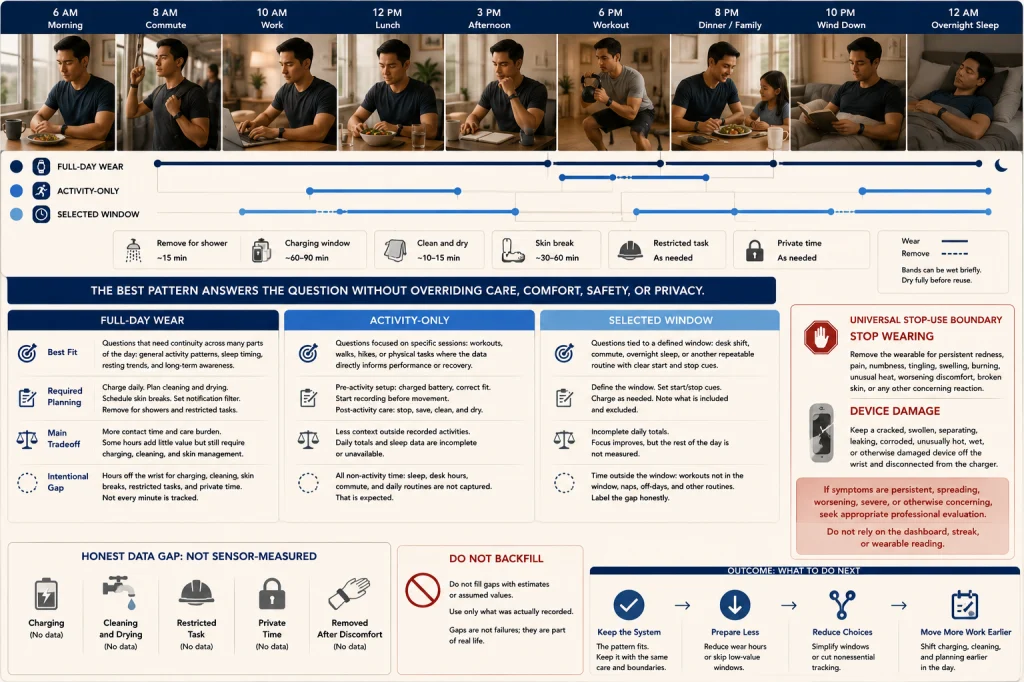
Compare Full-Day, Activity-Only, and Selected-Window Use
The best pattern is the one that answers the current question while leaving realistic care, comfort, safety, and privacy windows.
| Use pattern | Best fit | Required planning | Main tradeoff |
|---|---|---|---|
| Full-day wear | Questions that benefit from broad daytime continuity across varied routines | Scheduled charging, cleaning, drying, skin breaks, alert filtering, and restricted-task removal | More care burden and more hours of contact, even when some data is low value |
| Activity-only wear | Recording selected workouts, walks, or tasks without building a full-day dashboard | A consistent pre-activity setup, correct fit, charged battery, and post-activity care | Less context outside recorded activities |
| Selected-window wear | Desk hours, work shifts, commuting, overnight questions, or another defined routine | Clear start and stop cues plus an honest label for gaps | Some daily totals may be incomplete, but the targeted window can remain consistent |
One pattern does not need to become a permanent identity. Activity-only wear may fit a recovery week, selected-window wear may fit a work project, and broader wear may fit a short observation period.
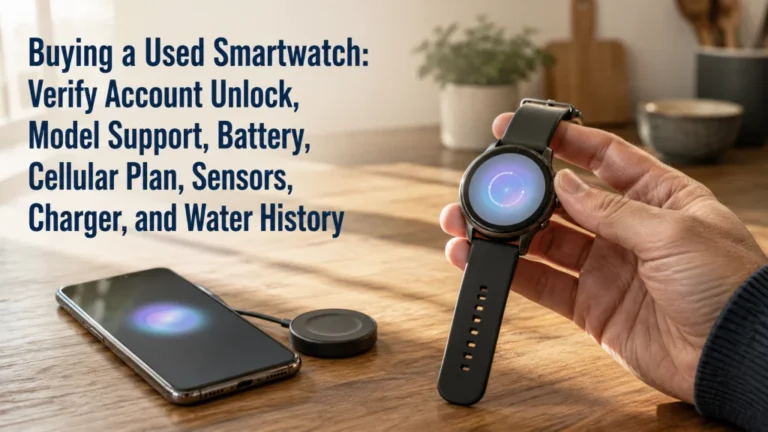
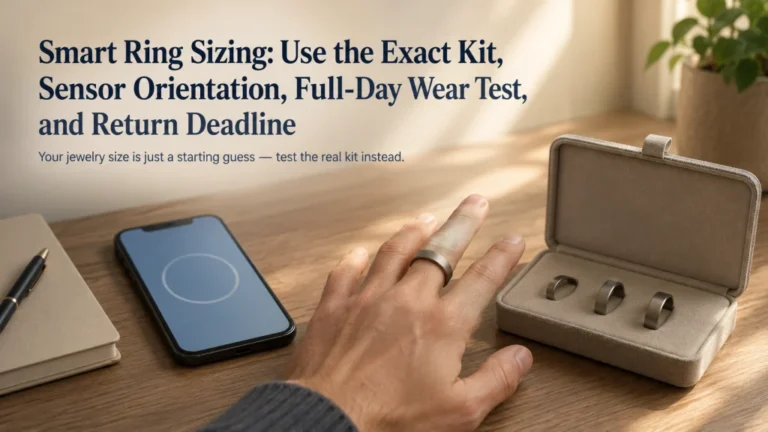
Device type can also affect friction. The comparison of smartwatches, fitness trackers, and smart rings explains how form, charging, displays, and interaction styles change the wearing routine.
Choose the Metric, Useful Window, Removal Window, and Stop Rule
Write down the one or two metrics you use. Mark the hours that genuinely contribute to them, then choose a predictable low-value period for charging, cleaning, drying, skin comfort, restricted tasks, or private time.
Keep data gaps visible instead of filling them with guesses. Filter alerts separately from sensor wear, and decide overnight use only after naming the question it serves.
Your schedule is complete when it includes a stop rule. Persistent symptoms, unusual heat, moisture, workplace restrictions, or device damage take priority over a streak, score, or complete-looking dashboard.
FAQs
⌚ Should you wear a fitness tracker all day?
Only when the useful metrics require broad daytime wear and the schedule still includes charging, cleaning, drying, comfort, restricted-task, and private-time windows. Continuous wear is not automatically the best pattern.
📊 Does removing the tracker make my data useless?
No. A consistent intentional gap may preserve the useful comparison while creating time for care. Label the gap honestly and do not present estimates as sensor-measured data.
🖐️ When should I give my wrist a break?
Use regular breaks based on comfort and the exact manufacturer guidance for the device and band. Remove it sooner when moisture, irritation, tightness, heat, pain, numbness, or swelling appears.
🏃 Should I keep the tracker on after a workout?
End the recording, remove the device, inspect and dry the skin, clean and dry the approved materials, then decide whether the next wear window serves a useful metric.
🌙 Is overnight wear necessary?
No. Wear overnight only when the data serves a specific question and the device, fit, battery, skin comfort, and alert settings support that window.
🔕 Can I collect data without receiving notifications?
Usually, sensor wear and notification access can be managed separately. Keep only the alerts that require wrist attention during that period and verify the exact device settings.
🏭 Should I remove a smartwatch for work?
Remove it when employer rules or the task requires it, including situations involving machinery, snag risk, contamination control, gloves, electrical hazards, impact, or another incompatible environment.
🚩 Which symptoms mean I should stop wearing it?
Remove it for persistent redness, pain, numbness, tingling, swelling, burning, unusual heat, broken skin, or worsening discomfort. Seek appropriate care when symptoms persist, spread, worsen, or are severe.